M My Choice Software LLCSponsored
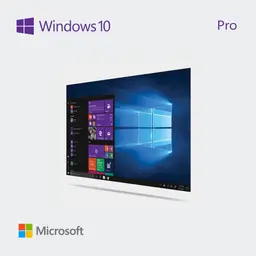
Microsoft Windows 10 Pro - 1 License
Windows 10 Pro gives you all the trusted features of Windows 10 Home plus powerful tools for professionals, entrepreneurs, and organizations that demand more control, security, and flexibility. It’s designed to help you work smarter, keep data protected, and scale as your needs grow. Professional-Grade Security Security is at the core of Windows 10 Pro. From built-in antivirus protection to advanced encryption, it provides multiple layers of defense to keep sensitive files and business data safe. Updates run seamlessly in the background, ensuring your system stays protected without interrupting your day. Key Security Features BitLocker drive encryption for stronger data protection Microsoft Defender Antivirus with enterprise-level safeguards Windows Hello for secure, password-free authentication Group Policy management for enforcing company-wide security rules Flexible Management Tools Whether you’re managing a single device or an entire team, Windows 10 Pro streamlines administration and connectivity. These features are designed to reduce complexity while giving IT professionals and business owners greater control. Built for Modern Work Azure Active Directory integration for unified sign-ins Remote Desktop to securely access your PC from virtually anywhere Domain Join to easily connect with business networks, printers, and shared files Group Policy support for consistent setup and management across devices With these tools, you can save time, improve consistency, and ensure your team has secure access to the resources they need. Enhanced Multitasking Windows 10 Pro helps you stay organized and productive no matter how much you’re juggling. From spreadsheets and video calls to design tools and presentations, it gives you the flexibility to switch between projects with ease. Smarter Ways to Stay Organized Snap Assist for pinning and arranging apps side by side Task View for quick switching between open projects Virtual Desktops for separating business, school, or personal workspaces By keeping your workspace tidy and adaptable, multitasking feels less overwhelming and far more efficient. Performance That Adapts Windows 10 Pro is optimized to perform reliably across a wide range of devices—from slim laptops to high-powered desktops. It intelligently manages resources to ensure smoother performance, faster start-ups, and consistent productivity throughout the day. Business Without Boundaries Work doesn’t always happen at the office. Windows 10 Pro makes it simple to connect remotely, collaborate through cloud-powered tools, and share files securely with your team. No matter where work takes you, your operating system is ready to keep pace. Built Around You, Built for Success Windows 10 Pro adapts to your needs, whether you’re running a small business, working remotely, or building a larger enterprise. It’s more than just an operating system—it’s a platform that gives you the freedom to stay productive, protected, and in control.