Traditional SEO reports make you look bad. Because more clients are asking, "Are we showing up in ChatGPT and Google's AI answers?"
Rankings and sessions alone can't answer that question.
If your report leaves out AI search visibility, your clients may start questioning the value of your work. And you could be producing results you're not even tracking, let alone showing your clients.
Your client's business might gain visibility in Google AI Overviews, AI Mode, ChatGPT, and Perplexity while organic clicks barely move. So a good month can look like a bad one in a traditional SEO report.
A modern SEO report shows clients both their traditional search performance and AI search visibility (AEO), side by side. It explains how they relate, including why greater visibility doesn't always translate into more website traffic.
This guide covers:
- Exactly what to include in your SEO report
- A 7-step process for building one
- How to turn your findings into actionable next steps
What To Include In Your SEO Report For Clients
A client SEO report is a recurring document or dashboard that shows what work was completed, how the client's visibility changed across Google and AI search platforms, and what drove those changes. It also explains what the results mean and outlines next steps to improve performance.
Include these traditional SEO metrics in your report
- Organic traffic and engagement: Track sessions, engaged sessions, and engagement rate from organic search in GA4 to show how many visitors arrive and how actively they interact with the website.
- Conversions and revenue: Use GA4 or CRM data to measure leads, sales, and goal completions attributed to organic search, connecting traffic to business outcomes.
- Search visibility: Monitor impressions, clicks, CTR, and average position in Google Search Console to understand how frequently the website appears in search results and attracts visitors.
- Keyword rankings: Use a rank tracker to monitor target keyword movements, including how many rank in the top three, top ten, or are approaching page one.
- Branded vs. non-branded demand: Compare branded and non-branded search queries and clicks in Google Search Console to distinguish people searching for the business by name from those discovering it through other searches.
- Technical health: Track site health score trends and major issues resolved using a site audit tool to show improvements in the website's technical SEO.
- Backlinks: Use a backlink analysis tool to track new and lost referring domains (along with notable links earned) to show changes in the site's backlink profile.
Include these AI search metrics in your report
- AI visibility rate: Use an AI visibility platform to measure the share of tracked prompts where the client's brand appears in AI-generated answers.
- Share of voice: Compare the client's brand mentions against 3-5 competitors across the same prompts to assess competitive presence.
- Brand mentions: Track how often AI-generated answers name the client's brand, even when they don't link to its website.
- Citations: Measure how often AI answers link to the client's URLs as sources and identify which pages receive those citations.
- Sentiment: Monitor whether AI-generated answers describe the client's brand positively, neutrally, or negatively.
- Visibility by platform: Break down AI visibility and related metrics across ChatGPT, Perplexity, Gemini, Claude, Google AI Overviews, and AI Mode to identify differences between platforms.
- AI referral traffic: Track sessions and conversions from AI platforms in GA4, or view that data alongside AI visibility metrics through Writesonic's GA4 integration.
Brand mentions vs. citations
In AI search, brand mentions aren't the same as citations. A brand mention means an AI answer named your client's business, while a citation means it linked to one of the client's URLs as a source. That means your client's brand can earn mentions without citations, and vice versa, so you need to measure both separately.
Consistency is also key when tracking AI visibility
AI answers can change between searches, even for identical questions. Track a fixed set of prompts and report visibility as a percentage of responses over time, rather than relying on isolated screenshots or random checks on ChatGPT. Daily checks provide a more reliable picture of these fluctuations.
Report results separately for each AI platform, too. A client might appear frequently in ChatGPT but rarely in Perplexity or Google AI Overviews. Combining everything into one score would hide those differences.
Google provides some native AI reporting
Search Console's Generative AI performance report tracks impressions for pages linked in AI Overviews and AI Mode, with breakdowns by page, country, device, and date. It rolled out worldwide in August 2026, although sites without sufficient impressions may not see it.
Also introduced in May 2026, GA4's AI Assistant channel identifies visits from recognized AI assistants. However, traffic from Google AI Overviews and AI Mode remains classified under Organic Search. And AI referral sessions are a floor. They are not a complete count of AI-driven visits.
For example, someone might see your client's brand mentioned in ChatGPT without a link, then search for it on Google or visit the website directly. GA4 would attribute that visit to organic search or direct traffic, not an AI referral.
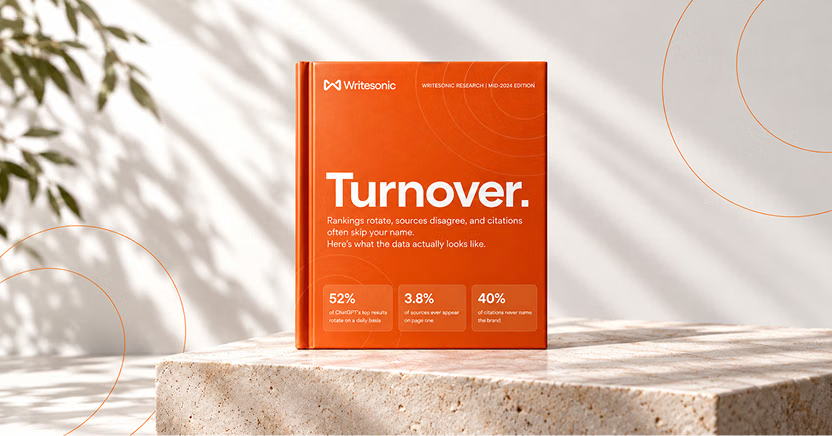
The #1 brand in ChatGPT changes 52% of the time.
Get the report and find out why.
How To Create An SEO Report For Clients In 7 Steps
1. Agree on goals and KPIs for search and AI visibility
Before collecting data, define what success means for your client. A report filled with impressive metrics won't mean much if those numbers don't connect to the outcomes your client wants.
Start by identifying two to three primary goals, such as increasing qualified leads, generating more organic sales, or driving demo requests from high-intent searches. Then choose KPIs that measure progress toward each goal.
Include at least one AI visibility KPI. For example, track the client's share of voice across target prompts or important product and service page citation rates. This shows whether the brand is gaining exposure beyond traditional search results.
Tailor the reporting depth to your audience. A founder might want a concise overview of leads, revenue, and competitive visibility. A Head of SEO will likely need detailed keyword positions, citation trends, and platform-level performance to guide strategy.
If several key decision-makers will review the report, lead with the main business findings in an executive summary. Keep detailed keywords, citations, and technical data in supporting sections.
2. Build a fixed prompt set alongside the keyword set
Turn your client's priority keywords into 20-50 prompts written in natural customer language. Include different types of questions, mainly in these core areas (see examples).
- Category: "What tools can help small teams manage projects?"
- Comparison: "How does Asana compare to Trello for remote teams?"
- Recommendations: "What's the best project management software for a small business?"
- Branded: "Is Asana a good choice for project tracking?"
Organize each prompt by topic and assign a funnel stage (awareness, consideration, or decision), so you know where your client is gaining visibility and where competitors are being recommended instead. Keep the core prompt set consistent across reporting periods so trends stay comparable. Track new or experimental prompts separately.
3. Set a baseline in the first report
Your first client SEO report establishes the starting point for measuring future performance. Without that baseline, it's difficult to show your work is making a difference.
Document current keyword rankings, organic traffic, and conversions. Then conduct an AI visibility audit using the fixed prompt set you've set up. Identify which prompts and platforms feature your client's brand, which competitors AI recommends instead, and what websites or pages those platforms cite as sources.
Pay particular attention to missed opportunities. For example, you have a visibility issue worth investigating if ChatGPT consistently recommends three competitors for an important commercial question but never mentions your client.
At the beginning of this first report, briefly explain to your client that it focuses on establishing a baseline and identifying priorities. Future reports will compare performance against that baseline, explain meaningful changes, and connect improvements to the work completed.
4. Connect your data sources
Use Google Search Console for search impressions, clicks, and keyword performance. Leverage GA4 for organic traffic and conversions, and its AI Assistant channel to report recognized AI referral sessions and conversions separately. Add a rank tracker to monitor priority keywords and a backlink analysis tool to track referring domains.
You also need an AI visibility platform to measure AI search brand mentions, citations, and share of voice. Manual AI prompt checks don't scale well because generated answers vary between runs. Occasional screenshots may capture a result that isn't representative of the broader trend.
You can use Writesonic's AI visibility tracker to track AI visibility daily across platforms, including ChatGPT, Perplexity, Gemini, and Claude.
Bring these data sources into a single reporting dashboard or template, using consistent reporting periods and measurements. Google Data Studio (formerly Looker Studio) is a good choice because it lets you connect GA4 and Search Console, with support for more than 1,400 data sources in total. Add keyword rankings and backlink data through compatible connectors or regularly updated spreadsheets.
Writesonic's Data Studio integration can also add AI visibility data to the same dashboard for accounts with access to the integration.
To get started, open Google Data Studio. If you see a notice to authorize the Data Studio API, click Continue and choose your Google account.
Select Create → Report. Then enter your country and company name if asked, and click the checkbox if you agree to the Data Studio Terms of Service and Data Processing Terms.
You may also be asked to enter your preferences for Google communications. If so, enter what works for you and click Continue. You'll then see an Untitled Report and options to add data to it. Under Connect to data, choose a connector, authorize access when prompted, and select the relevant account or property. Click Add to bring the data into your report. Repeat for other sources, then use the report editor to organize your metrics into charts and tables.
Separate the report into traditional SEO performance, AI visibility, and business outcomes. Use matching reporting periods and comparison dates across your data sources so clients can see how each area is performing.
5. Connect AI visibility to traffic and pipeline
Show AI referral sessions, conversions from AI sources, and branded search trends alongside AI visibility for the same reporting period. This helps clients see how AI visibility relates to traffic, leads, and sales opportunities.
Branded search trends also provide supporting evidence of growing interest, although they don't prove AI caused that growth. For example, a recent TV advertising campaign could also explain an increase in branded searches. Report AI visibility and website clicks as separate trend lines so zero-click gains are visible.
And while traffic volume matters, the quality of that traffic matters just as much.
Suppose AI referral sessions increase by 2,000, but conversions remain the same. That could indicate a mismatch between visitor intent and the content they're reaching, an ineffective landing page, or a tracking issue. Conversely, fewer highly qualified visitors could generate more leads or sales than a much larger audience.
Include conversion rates and lead quality alongside traffic figures so clients can see whether those visits are producing meaningful business results.
6. Write the narrative
Don't leave clients to interpret charts on their own. Lead with a conclusion that captures the month's biggest finding, such as: "AI visibility improved across priority prompts, but organic clicks remained flat."
Then annotate each chart with what changed, why it might have happened, and whether the movement represents a sustained trend or a temporary fluctuation.
Keep your commentary matter-of-fact, particularly when results are disappointing. A defensive tone can make clients question your judgment, even when the analysis is sound.
Here's an example of what a strong annotation looks like ...
Example 1
Before: "AI visibility increased."
After: "AI visibility across tracked comparison prompts rose from 25% to 37% over 4 weeks after we updated the product comparison page with clearer feature explanations."
The second annotation gives your client a measurable result, timeframe, and the specific work that preceded the improvement.
Apply the same approach if performance drops. Explain what happened, what the data confirms, and what you're investigating next.
Here's an example ...
Example 2
Before: "Organic clicks fell 15% this month."
After: "Organic clicks fell 15% this month, primarily on informational pages. We're reviewing seasonality, recent Google algorithm changes, and whether AI Overviews reduced clicks on those queries. We'll use those findings to prioritize the affected pages."
If AI citations decline on a particular platform, you could let your client know you'll investigate whether a recent model update changed which sources that platform cites. Clients are more likely to trust a report that acknowledges a problem and presents a plan than one offering excuses or speculation.
7. Close with prioritized next steps, then deliver
Finish your SEO report with three to five prioritized actions tied directly to findings. Each should identify what needs to happen, who's responsible, and when it should be completed.
Include both SEO and AEO recommendations, such as refreshing pages AI platforms cite, earning mentions on relevant third-party sources those platforms rely on, or fixing AI crawler access issues. Prioritize these actions by urgency and potential impact so clients know what needs attention first.
Deliver the report as a PDF or live dashboard, accompanied by a short walkthrough explaining the findings and recommended actions. You can automate routine data collection and chart updates to save time, but keep the commentary human-written.
If you're using Google Data Studio, you can share your dashboard by granting your client Viewer access and sending them the report link. For the walkthrough, consider using Loom to record a short screen-share video. Its free Starter plan supports recordings of up to 5 minutes.
How To Explain AI Search Visibility To Clients
Many clients are seeing AI visibility metrics for the first time, so the numbers only make sense if you explain what they mean. Here are five common questions and how to answer them for your clients.
What's the difference between being mentioned and being cited?
"A mention means an AI platform names your brand in its answer. A citation means it links to your website as a source. To improve both, we might publish original research, earn coverage in trusted industry publications, or resolve issues preventing AI crawlers from accessing your website."
Why is traffic flat if our AI visibility went up?
"People can receive a recommendation for your business directly inside an AI answer without visiting your website. This is called zero-click discovery. We monitor branded search trends and AI referral traffic for signs of growing interest, even when organic clicks remain flat."
Why do the results change every time I check?
"AI-generated answers aren't identical every time. They vary by run, user, and location. That's why we track the same questions over time and report the percentage of tracked prompts where your brand appears, rather than judging performance from individual screenshots."
Why does ChatGPT say something different from Google AI Overviews?
"AI platforms don't all use the same sources or generate answers the same way. Your brand might appear prominently on one platform but barely feature on another. We track each platform separately so we can identify where you're gaining visibility and where improvements are needed."
What actually moves these numbers?
"AI visibility can be influenced by content quality, freshness, structure, and whether AI crawlers can access your pages. Improving pages AI platforms cite and earning mentions on relevant third-party websites can also help. We work on these areas and monitor changes in your visibility over time."
As part of the expectations you set in step three, explain that AI visibility is a directional measure that helps you build a strong AI presence over time. It complements traditional organic search metrics rather than replacing them.
How Writesonic Helps You Report SEO & AI Search In One Place
Most SEO reporting tools show how a client performs in Google. But they can't tell you whether your client is being recommended in ChatGPT, Perplexity, Gemini, Claude, or Google AI Overviews, or what to do when competitors appear instead.
Writesonic fills that blind spot with daily AI visibility tracking across 8 AI platforms. It measures share of voice, sentiment against competitors, and shows you which pages and third-party sources AI answers rely on through citation analysis.
Integrations with GA4 and Google Search Console bring AI visibility and traditional search performance together, side by side. And Writesonic's Action Center turns findings into prioritized recommendations for content, citations, and technical improvements.
For agencies managing multiple clients, multi-brand workspaces keep projects organized while client-facing reports make it easier to communicate progress. Explore Writesonic for agencies to see how these capabilities fit into your workflow.
The #1 brand in ChatGPT changes 52% of the time.
Get the report and find out why.

Director of Growth Marketing
Cody Slingerland is the Director of Growth Marketing at Writesonic. He leads SEO and AI search (AEO) strategy. He has over 12 years of search experience, helping companies like Zapier, Instapage, Nutshell, CloudZero, and others improve their visibility and position in organic search.