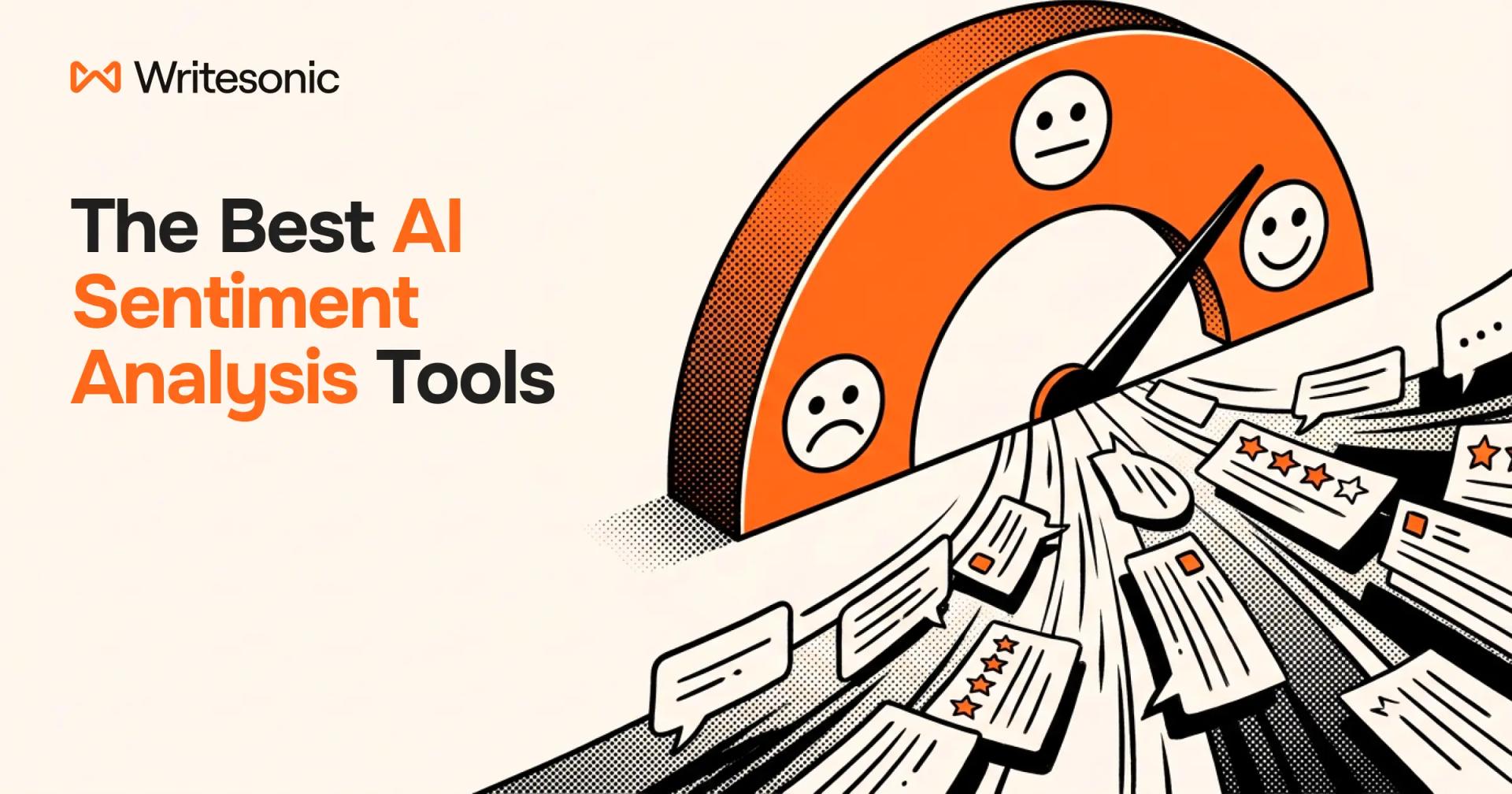
Customer opinion is everywhere now. It's in reviews, support tickets, surveys, social posts, and call transcripts. More and more, it also shows up in the answers ChatGPT, Gemini, and Perplexity give when a buyer asks about your brand.
Nobody can read all of that by hand. Star ratings and Net Promoter Scores (NPS) help, but they don't explain why customers feel the way they do. That's where brands turn to AI sentiment analysis tools.
These tools use natural language processing (NLP), machine learning, or large language models (LLMs) to label text as positive, negative, or neutral. Many also detect emotion, intent, and feelings about specific topics.
The right tool depends on where your feedback lives. Below, you'll learn how AI sentiment analysis works and what to look for in a tool. Then you'll find a categorized list of 21 tools for everything from AI search and customer experience to social listening.
TL;DR
- Best for tracking how AI search describes your brand: Writesonic
- Best for CX feedback analytics: Qualtrics XM Discover
- Best for social listening: Brandwatch
- Best API for developers: Google Cloud Natural Language API
- Best free option: Hugging Face
How AI Sentiment Analysis Works (And What To Look For In A Tool)
Before comparing products, it helps to know what's happening under the hood. AI sentiment analysis tools aren't all the same. How a tool is built will affect its accuracy, cost, and learning curve.
Most of them use one of these four approaches:
- Rule-based (lexicon) scoring: Each word carries a preset score, and rules adjust for negation (words like "not" that flip the meaning, as in "not good"). Rule-based scoring is fast and usually free, but it misses context and sarcasm.
- Classic machine learning: A model learns from labeled examples. It learns from your own data, so you have more control over the outcome, but it still needs training data and upkeep.
- Transformer models: Models like BERT and RoBERTa read words in context. They handle nuance far better than rule-based models or classic machine learning, but they need more computing power.
- LLM-based analysis: You can prompt models like ChatGPT or Claude to label sentiment in data you upload to the LLM. Whichever platform you choose, LLM analysis is flexible and good with sarcasm. The problem is that labels can drift between runs, so accuracy is a concern. Costs also increase at volume.
AI sentiment tools also do different types of analyses:
- Document-level polarity: This simplified approach only recognizes a customer comment as positive, negative, or neutral, so there's little room for nuance.
- Aspect-based sentiment: Each topic in a comment gets a separate label. "Great food, slow service" realizes that the food is positive and service is negative.
- Emotion detection: This advanced feature can apply labels like anger, joy, or frustration instead of a binary "good or bad."
- Intent detection: This analysis tells you what the person wants to do next, such as cancel, buy, or complain.
Remember, every sentiment analysis tool is different, so understanding what's under the hood before you shop will help you find the best model for your needs.
What to look for when you buy
So, what makes for a good sentiment analysis tool?
Start by looking at its data sources and channels. A tool is only useful if it connects to the platforms where customers leave (and interact with) feedback about your business. Check if the tool has native connectors for your:
- Survey tool
- Helpdesk
- Review sites
- Social networks
- Call recordings
Next, look at how accurate the tool is when evaluating complex tasks. Sarcasm, negation, mixed sentiment, emojis, and slang trip up weaker models. Language coverage matters too if you serve more than one market.
Once you've covered those bases, look for helpful features to streamline operations, which include:
- Real-time alerts for sudden negative spikes
- Integrations with your CRM, helpdesk, BI tools, and Slack
- Technical skill required, from no-code dashboards to raw APIs
- Outcome linking, so you can tie sentiment to churn, NPS, or revenue
- Total cost of ownership, including seats, add-ons, and usage fees
How to test a tool before you buy
You can't do an apples-to-apples comparison between sentiment analysis tools because they all use different test data. You should test a sentiment tool before you buy it, but not with the vendor's data with your own.
To test a sentiment analysis tool, start by signing up for a free trial. Next:
- Pull 20-30 real comments from your own data.
- Include negations ("not bad"), degree ("not very happy" vs. "fine"), and sarcasm.
- Add mixed reviews and industry jargon.
- Have a teammate label each comment by hand.
- Compare the tool's labels against your teammate's.
As a final step, run a bias check. Teams scoring customer or employee text at scale should test how the tool handles different names, dialects, and pronouns.
The 21 Best AI Sentiment Analysis Tools In 2026
AI search and LLM brand sentiment
A buyer can ask ChatGPT for the best CRM and get a shortlist with opinions attached.
What are AI tools saying about your business? The tone of their answers could mean the difference between making a sale and losing business.
Check out these five AI sentiment analysis tools to keep your ear to the ground.
| Tool | Category | Best for | Main data sources | Technical skill | Starting price |
|---|---|---|---|---|---|
| Writesonic | AI search visibility | Optimizing how AI engines describe your brand | ChatGPT, Gemini, Perplexity, Claude, AI Overviews, and more | No-code | $399/mo, billed annually |
| Profound | AI search visibility | Enterprise AI brand monitoring | Major AI answer engines | No-code | Custom |
| Semrush AI Visibility Toolkit | AI search visibility | Semrush users adding AI tracking | ChatGPT, Google AI Mode, AI Overviews, Gemini | No-code | $99/mo |
| Ahrefs Brand Radar | AI search visibility | AI share of voice at scale | AI Overviews, AI Mode, ChatGPT, Perplexity, Gemini, Copilot | No-code | $199/mo |
| Peec AI | AI search visibility | Marketing teams tracking AI perception | ChatGPT, Gemini, AI Mode, and others | No-code | ~$95/mo (third-party) |
1. Writesonic
Writesonic doesn't just track how many mentions you get in AI engines, but how they talk about you. Its AI Visibility Tracker scores sentiment and breaks it down by theme, keyword, and topic. You can view that at the platform level and against competitors.
- Best for: Marketing teams that need to see and fix how ChatGPT, Gemini, Perplexity, and Google's AI describes their brand.
- Notable feature: Prompt-level data shows the full answer text for every prompt and model. It also highlights your brand mentions.
- Limitation: Only available on Growth and Enterprise plans. Enterprise plan is required for negative-shift alerts and access to all eight AI engines.
- Pricing: Sentiment starts on Growth at $399/mo billed annually. A 7-day free trial is available.
2. Profound
Profound is an enterprise platform that monitors your brand presence in AI answers. Its Answer Engine Insights module measures brand sentiment, shows the narrative AI gives customers, and shares its sources.
- Best for: Large brands with a dedicated budget for AI search monitoring.
- Notable feature: FactCheck verifies AI claims about your brand and helps target misinformation.
- Limitation: There's no public self-serve price, so smaller teams can't easily test the paid product.
- Pricing: Free trial available. Paid plans are custom.
3. Semrush AI Visibility Toolkit
The Semrush AI Visibility Toolkit shows how your brand appears in AI answers. Its Brand Performance reports cover share of voice, brand sentiment, and how your reputation compares against competitors.
- Best for: Teams already using Semrush that want AI sentiment without a new vendor.
- Notable feature: The narrative analysis feature consolidates the recurring stories AI tells about your brand for easy analysis.
- Limitation: Brand Performance is tied to one domain and one location or language. Competitors are also auto-selected (Behind Rankings).
- Pricing: $99/mo per domain with 25 tracked prompts. There's no free trial.
4. Ahrefs Brand Radar
Ahrefs Brand Radar measures mentions, citations, AI share of voice, and estimated impressions across AI platforms. It pulls from a large prompt index built from Ahrefs keyword data to check whether your brand is mentioned positively or negatively.
- Best for: SEO teams that want AI share of voice benchmarks at scale.
- Notable feature: The AI Visibility Index tracks a huge set of prompts without any setup.
- Limitation: Brand Radar doesn't include a dedicated sentiment score, so you have to do tone checks manually.
- Pricing: AI Visibility Index from $199/mo.
5. Peec AI
Peec AI tracks your visibility, position, and sentiment in AI answers. Its brand cards show a sentiment score and a short summary of how AI perceives each brand. You can run each prompt every 24 hours on each selected model, too.
- Best for: Marketing teams that want clean AI perception tracking with exports to Looker Studio.
- Notable feature: Source tracking shows which domains and URLs affect your visibility.
- Limitation: Plans let you pick a set number of engines, although tracking Perplexity will cost extra if you don't get an Enterprise plan.
- Pricing: Peec's website doesn't list its pricing, but according to GetApp's Peec AI listing, the Starter plan is $95/mo for 50 prompts. A 7-day free trial is available.
Customer experience and feedback analytics
Next up is customer experience and feedback. This category looks at internal data like surveys, tickets, chats, and calls to tell you what customers really think about your company.
| Tool | Category | Best for | Main data sources | Technical skill | Starting price |
|---|---|---|---|---|---|
| Qualtrics XM Discover | CX feedback analytics | Enterprise omnichannel CX | Calls, chats, surveys, reviews, social | Low-code | Quote (~$30,000/yr median, Vendr) |
| Chattermill | CX feedback analytics | Aspect-level feedback analysis | Surveys, reviews, tickets, app stores | No-code | Quote |
| Medallia Experience Cloud | CX feedback analytics | Large enterprise experience programs | Surveys, text, speech, digital | Low-code | Quote (~$13,338/yr median, Vendr) |
| Thematic | CX feedback analytics | Editable, explainable themes | Surveys, tickets, transcripts, reviews | No-code | $25,000/yr |
| Zonka Feedback | CX feedback analytics | Mid-market survey plus AI analysis | Surveys, reviews, tickets, chats | No-code | Quote (~$199/mo, GetApp) |
| Dialpad | Contact center | Live call sentiment | Phone calls | No-code | Advanced ($119/mo) or Premium ($149/mo per user) |
6. Qualtrics XM Discover
Qualtrics XM Discover used to be Clarabridge Studio but is now part of the Qualtrics XM platform. It detects sentiment, emotion, intent, and effort across contact centers, social media, and online reviews. It uses 150+ industry-specific natural language understanding (NLU) models.
- Best for: Enterprises running omnichannel CX programs across calls, chats, and surveys.
- Notable feature: Effort and emotion-intensity scoring trigger automated follow-ups.
- Limitation: It's an enterprise suite with quote-only pricing. It also requires a more intense rollout.
- Pricing: Not publicly listed. Vendr reports a median Qualtrics contract of about $30,000 a year across its products.
7. Chattermill
Chattermill brings all customer feedback into one view, complete with links back to customer quotes and sources if you want to dig in further. Its Lyra AI system pairs frontier LLMs with fine-tuned specialist models to help you sift through the noise and understand how customers see you.
- Best for: Consumer brands with high feedback volume across many channels.
- Notable feature: Aspect-based sentiment gives each theme in a comment its own label.
- Limitation: There's no publicly available pricing. You also need to get a lot of stakeholders involved upfront to help with taxonomy setup.
- Pricing: Not publicly listed. You're also required to complete a demo to access pricing.
8. Medallia Experience Cloud
Medallia combines text, speech, and acoustic analytics in one experience platform. Its AI surfaces emerging trends and works as an early warning system for issues like churn. Plus, Medallia's data science team manages and improves the models centrally, so there's less for you to manage.
- Best for: Large enterprises that want survey, digital, and contact center data in one place.
- Notable feature: Speech and acoustic analytics reveal customer sentiment beyond written text.
- Limitation: Public sources say little about how Medallia scores sentiment, so request a demo to judge its capabilities with your own sample data.
- Pricing: Priced in annual tiers by Experience Data Record (EDR). Users are unlimited. Vendr reports a median contract of about $13,338 a year.
9. Thematic
Thematic doesn't use a preset taxonomy to categorize customer feedback. Instead, it builds themes from feedback. Each theme has a sentiment score and links back to the comments that created it, so you can see how the tool built it. You can also open a theme, adjust it, and steer it.
- Best for: Insights teams that need explainable, editable themes.
- Notable feature: Its Scoring Agent predicts NPS, churn risk, and effort from open-text feedback.
- Limitation: The entry plan is a five-figure annual commitment. There's a paid pilot but no free trial.
- Pricing: Foundation costs $25,000/year for up to 25,000 comments. Enterprise is custom.
10. Zonka Feedback
Zonka Feedback collects customer surveys across email, SMS, WhatsApp, web, and in-app. After collecting data, its Feedback Intelligence feature tracks sentiment, clusters themes, and flags anomalies. It also connects to Salesforce, HubSpot, Zendesk, Intercom, and Slack.
- Best for: Mid-market teams that want collection and AI analysis in one tool.
- Notable feature: Entity and aspect tracking ties feedback to specific teams, agents, and locations.
- Limitation: Its public pages don't mention features for detecting emotion or intent.
- Pricing: Quote-based. A 14-day free trial is available. GetApp lists Feedback Management from $199/mo and AI Feedback Intelligence at $999/mo.
11. Dialpad
Dialpad labels live calls as positive, negative, or neutral based on words and phrases like "I'm frustrated." If Dialpad flags a call as negative, supervisors will see it in their active calls list. They can then read the live transcript, listen in, or join.
- Best for: Support teams that want to step in on bad calls while they're happening.
- Notable feature: AI CSAT infers satisfaction scores for up to 100% of customer calls, no surveys needed.
- Limitation: Sentiment comes from keywords, so it doesn't read vocal tone.
- Pricing: Available on Advanced ($119/mo per user billed annually) and Premium ($149/mo per user billed annually).
Social listening and media monitoring
While customer experience tools look at your internal data for customer sentiment problems, social listening tools look externally. These tools track what people say about you across social networks, news, blogs, and forums.
| Tool | Category | Best for | Main data sources | Technical skill | Starting price |
|---|---|---|---|---|---|
| Brandwatch | Social listening | Deep consumer research | 100M+ online sources | Low-code | Quote (~$50,000/yr median, Vendr) |
| Sprout Social | Social listening | Social teams wanting one platform | Social networks, reviews | No-code | $199/seat/mo; listening is an add-on |
| Meltwater | Social listening | PR and comms teams | News, social, broadcast, AI | No-code | Quote (~$25,800/yr median, Vendr) |
| Talkwalker (Lumen) | Social listening | Hootsuite users needing deep listening | Social, digital, AI channels | Low-code | Quote (~$13,298/yr median, Vendr) |
| Brand24 | Social listening | SMBs and agencies | Social, news, blogs, forums, podcasts | No-code | $199/mo, billed annually |
12. Brandwatch
Brandwatch Consumer Research covers over 100 million online sources. Its archive reaches back to 2008 and holds more than 1.4 trillion posts. If your brand's been around for a few years, you can monitor historical sentiment in one place. Iris, the Brandwatch AI assistant, turns all of that data into readable summaries, so you don't have to sift through it manually.
- Best for: Research and insights teams doing deep consumer studies.
- Notable feature: Custom classifiers let you sort conversations into your own categories.
- Limitation: Pricing is quote-only.
- Pricing: Custom. Vendr reports a median contract of about $50,000 a year, with prices starting in the $19,500 range.
13. Sprout Social
Sprout Social bundles publishing, engagement, and analytics in one platform. Its Listening add-on includes a sentiment tracking and scoring model. The Advanced plan also adds sentiment to Reviews and Smart Inbox so you can see all customer engagement in one view.
- Best for: Social teams that want listening tools bundled with a posting platform.
- Notable feature: Trellis, its AI assistant, answers research questions in plain language.
- Limitation: Listening is a paid add-on on top of per-seat pricing, so costs add up.
- Pricing: You need the Standard plan ($199/mo per seat, billed annually) to access the listening add-on. Sprout Social doesn't publicly list pricing for the add-on. A 30-day free trial is available.
14. Meltwater
Meltwater monitors millions of sources across news, social, and broadcast for any mentions of your brand. It can also look for spikes in brand mentions and flag any sentiment changes during a spike. Meltwater also offers limited AI visibility tracking.
- Best for: PR and comms teams that track both earned media and social.
- Notable feature: AI-powered alerts flag sentiment shifts and volume spikes early.
- Limitation: Its FAQ says sentiment accuracy depends on the source, language, and context.
- Pricing: Tailored quotes, usually on annual contracts with a 12-month minimum. Vendr reports a median price of about $25,800 a year.
15. Talkwalker (now Lumen by Talkwalker)
Talkwalker is now called Lumen by Talkwalker following its acquisition by Hootsuite in April 2024. The platform monitors conversations across social, digital, and AI channels to help you stay on top of any volume changes. Use its integrated AI agent, Wisdom, to chat about your data and make faster decisions.
- Best for: Hootsuite customers that need deeper listening and benchmarking.
- Notable feature: Social benchmarking compares your brand's performance against competitors.
- Limitation: All three plans are quote-only.
- Pricing: Core, Analyze, and Business plans are quote-only. Vendr reports a median price of about $13,298 a year.
16. Brand24
Brand24 tracks mentions across social media, news, blogs, videos, forums, podcasts, and reviews. Every plan includes sentiment analysis pulled from over 25 million sources. It also has an integrated AI chatbot called Brand Assistant that you can ask anything about your data.
- Best for: SMBs and agencies that want a self-serve listening tool with transparent pricing.
- Notable feature: Sentiment is included on every plan, from Individual to Enterprise.
- Limitation: Keyword and mention caps are tight on lower tiers (3 keywords on Individual).
- Pricing: From $199/mo billed annually. A 14-day free trial is available, no card needed.
Sentiment analysis APIs for developers
External tools are useful for marketing, data, and customer service teams, but what if you're building your own product? These sentiment analysis APIs let you add sentiment scoring to your product without building it from scratch.
| Tool | Category | Best for | Main data sources | Technical skill | Starting price |
|---|---|---|---|---|---|
| Google Cloud Natural Language API | NLP API | Entity-level sentiment in apps | Your own data | Developer | First 5,000 units/mo free |
| Amazon Comprehend | NLP API | AWS-based pipelines | Your own data | Developer | Free tier, then per 100 characters |
| Azure AI Language | NLP API | Microsoft stack, aspect-level opinions | Your own data | Developer | 5,000 records/mo free |
17. Google Cloud Natural Language API
The Google Cloud Natural Language API analyzes sentiment for a full document, but it can also score individual entities, like your brand, that it finds in the text. It also supports multiple languages, includes speech-to-text to extract data from audio, and uses OCR to analyze scanned documents.
- Best for: Developers who need entity-level sentiment inside an app or pipeline.
- Notable feature: Entity sentiment tells you how people feel about each product or brand named.
- Limitation: You build any dashboards, alerts, and history yourself.
- Pricing: The first 5,000 units (1,000 characters each) per month are free. After that, sentiment costs $0.001 per unit, with prices dropping at higher volumes (Google pricing).
18. Amazon Comprehend
Amazon Comprehend also offers document sentiment and targeted sentiment for entities in a text. The upside is that it's built on the Amazon ecosystem, so it's a good fit for teams that already store their data on AWS.
- Best for: AWS-based teams adding sentiment to existing data workflows.
- Notable feature: Comprehend creates targeted sentiment scores for each entity, so one review can be positive on price and negative on shipping.
- Limitation: AWS closed some Comprehend features (topic modeling, event detection) to new customers, but sentiment isn't affected. Each request bills at a 300-character minimum, so short texts like X posts cost more per word.
- Pricing: Free tier of 50,000 units (5 million characters) per month for 12 months. Targeted sentiment then costs $0.0001 per 100-character unit (AWS pricing).
19. Azure AI Language
Azure AI Language, now branded as Azure Language in Foundry Tools, includes sentiment analysis with opinion mining, which links each opinion to its findings. It also includes key phrase extraction, entity recognition, and personally identifiable information (PII) detection and redaction.
- Best for: Teams on the Microsoft stack that want aspect-level opinions from an API.
- Notable feature: Opinion mining delivers aspect-based sentiment without a custom model.
- Limitation: The free tier is shared across all features, so it runs out fast.
- Pricing: 5,000 free text records per month (1,000 characters each). Check the Azure pricing calculator for its rates.
Free and open-source options
As you can see, sentiment API costs can add up, especially at scale. They may not be as advanced, but you can run these free and open-source options on your own hardware.
| Tool | Category | Best for | Main data sources | Technical skill | Starting price |
|---|---|---|---|---|---|
| Hugging Face sentiment models | Open-source model | Custom, self-hosted pipelines | Your own data | Developer | Free |
| VADER | Open-source library | Quick social text scoring | Your own data | Developer | Free |
20. Hugging Face sentiment models
Hugging Face hosts a large library of pretrained sentiment models. A popular one is twitter-roberta-base-sentiment-latest, which is trained on about 124 million tweets from 2018 to 2021. It logged about 2.9 million downloads in the past month.
- Best for: Data teams that want free, self-hosted sentiment they can fine-tune themselves.
- Notable feature: You can fine-tune a model on your own labeled data for domain accuracy.
- Limitation: You handle hosting, scaling, and monitoring yourself.
- Pricing: Free to download and run. Hosted inference costs extra, and pricing depends on the vendor you choose.
21. VADER
VADER is a lexicon and rule-based tool designed to analyze social media text. It can even score emojis, emoticons, slang like "sux," negation, and ALL CAPS emphasis. It can only categorize feedback as positive, negative, or neutral, and it can struggle with nuance.
- Best for: Quick, free scoring of short social posts in Python.
- Notable feature: It runs instantly with no training data or GPU.
- Limitation: It reads words in isolation, so sarcasm and mixed opinions can slip through the cracks.
- Pricing: Free under the MIT license.
Can ChatGPT Or Other LLMs Do Sentiment Analysis?
Yes. General-purpose LLMs like ChatGPT can:
- Identify and label sentiment
- Catch sarcasm
- Summarize themes
This can work for a one-off analysis or for processing a few hundred customer comments. The key, though, is knowing how to prompt the LLM. Use this prompt to get a consistent output whenever you need to run a sentiment analysis:
You are a sentiment analyst. For each comment below, return a JSON object with:- label: positive, negative, neutral, or mixed- confidence: a number from 0 to 1- aspect: the main topic the sentiment is about (e.g., price, support, shipping)- reason: one short sentence explaining the labelComments:1. "..."2. "..."
The problem with this approach is that LLMs aren't designed to do real sentiment analysis. They fall short with ongoing projects because:
- They have no built-in data connectors
- They can't track trends
- They can't alert you to changes or volume spikes
- Labels can change between runs
- Costs increase at high volume
- Pasting customer data into a chat tool raises privacy concerns
LLMs can work in some situations, but they aren't a universal fix. If you aren't sure whether you should commit to a paid tool or use an LLM, these guidelines can help you make a decision:
- Use an LLM for ad-hoc analysis or prototyping.
- Use an API or open-source model when you need sentiment tracking inside your own product or pipeline.
- Use a dedicated platform when you need dashboards, alerts, and history across channels.
Writesonic Tracks How AI Describes Your Brand
Using an LLM to analyze sentiment is one thing, but you need a way to understand what the LLM itself is telling customers about your brand. And that's a different job entirely.
Most tools on this list analyze text you already have, like reviews, tickets, and posts. None of the CX, social, or API tools show what ChatGPT, Gemini, Perplexity, Claude, or Google AI Overviews tell buyers.
But Writesonic does.
Writesonic tracks sentiment for each AI platform and prompt that matters to your brand. You see the full answer for every prompt, so you know exactly which question triggered a negative description from the LLM. Enterprise plans also get alerts whenever sentiment starts trending negative.
Writesonic also shows the sources behind the story. With citation analysis, you can see which pages and domains AI engines cite in your category, from media and blogs to forums and user-generated content. The Action Center then suggests fixes for these issues, ranked by priority. No more digging through reports to decide on next steps: Writesonic tells you which content changes, citations, and technical fixes you need to make.
You don't have to redo your entire sentiment program, either. Think of AI search sentiment analysis as a new channel that can pair with the CX or social listening tool you already love. With the right mix of tools, you'll get a 360-degree view of both your collected feedback and your appearance in AI search.
See where you stand in AI search: Run an AI visibility audit now.
FAQ
Which AI is best for sentiment analysis?
It depends on your data. For CX feedback, Qualtrics XM Discover and Chattermill are solid picks. For social listening, Brandwatch and Sprout Social were our top performers, and Writesonic is the best pick for tracking how AI search describes your brand.
Can AI be used for sentiment analysis, and how accurate is it?
Yes. LLMs can handle context, negation, and sarcasm far better than older rule-based methods. Accuracy still varies by source, language, and industry, so test any tool on 20-30 of your own comments before buying.
Can ChatGPT do sentiment analysis for free?
Yes, ChatGPT's free tier can label sentiment in comments you paste in. It works well for small, one-off batches. It doesn't connect to your data, track trends, or send alerts, and you should avoid pasting sensitive customer data into it.
What's the difference between sentiment analysis and emotion detection?
Sentiment analysis labels text as positive, negative, or neutral. Emotion detection goes further by naming the feeling, like anger, joy, or frustration. Two negative comments can carry very different emotions and need different responses.
Are there free AI sentiment analysis tools?
Yes. Hugging Face offers free pretrained sentiment models, and VADER is a free Python library for analyzing social text. Google Cloud Natural Language, Amazon Comprehend, and Azure AI Language also offer free monthly tiers.
How do you track brand sentiment in AI search results like ChatGPT and Google AI Overviews?
Use an AI search visibility platform. These tools run your target prompts across AI engines on a schedule so you can track how AI search results present your brand to customers. Writesonic, for example, scores sentiment by platform and prompt and shows the cited sources behind each answer.
How much do AI sentiment analysis tools cost?
Prices vary a lot. Open-source models like VADER are free, and APIs charge fractions of a cent per unit. Self-serve tools like Brand24 start around $199/mo billed annually, while enterprise suites often run $13,000 to $50,000+ a year.
The #1 brand in ChatGPT changes 52% of the time.
Get the report and find out why.

Director of Growth Marketing
Cody Slingerland is the Director of Growth Marketing at Writesonic. He leads SEO and AI search (AEO) strategy. He has over 12 years of search experience, helping companies like Zapier, Instapage, Nutshell, CloudZero, and others improve their visibility and position in organic search.