There are dozens (maybe even hundreds) of AI search visibility platforms. Most look the same. But, pick the wrong one, and you'll end up with a surface-level platform that doesn't give you the data or insights you need to actually improve your visibility.
I've been doing SEO for over 12 years now (and AEO over the past few). Today I run growth at Writesonic, so I spend much of my day digging into AI visibility data, figuring out how brands show up in AI answers, and how to show up more often. I do this to stay on the cutting edge of AEO, but also to improve Writesonic's own AI visibility.
I've tried all the major AI search visibility platforms available today. Over time, I've learned which features improve visibility and what's just fluff. If you're shopping around for an AI visibility tool, you'll need to learn how to separate fancy marketing claims from fact.
In this guide, I'll walk through the key factors any SEO or AEO team should consider when shopping for an AI search visibility tool. Then, I'll show you how to evaluate your shortlist, from must-haves and pricing to the questions to ask during a demo.
Finally, I'll explain why Writesonic belongs on your shortlist of potential tools and answer common questions about AI search visibility platforms.
TL;DR
- Before you buy an AI visibility tool, check which AI engines are covered on each plan. Make sure your plan covers the engines you want to monitor (e.g., ChatGPT, Perplexity, Gemini, etc.).
- Choose a tool that checks prompts daily and collects answers from the interface users see, not from APIs.
- Look for flexible filters so you can slice your visibility data by topic, prompt type, AI platform, market, date range, and citation source (your site, competitors, or third parties).
- Most tools offer a self-serve free trial. Sign up for two or three and run the same 25-50 prompts in each tool before you commit to one.
- Ask about the customer support available with your plan. If AI search is new to your team, a dedicated strategist or hands-on support can make a huge difference.
- Compare cost per prompt per engine per month. While you should look at the value of a tool's features, breaking down cost per engine can help you compare them more evenly.
Why Do You Need An AI Search Visibility Tool At All?
Why not just check ChatGPT manually?
Manual checks don't scale
You can get by monitoring your brand on platforms like ChatGPT, but that gets old fast. Plus, it's not scalable, so this isn't an option for growing businesses or agencies.
Checking AI visibility manually won't tell you the whole story. AI answers change by run, user, location, and model, so one answer is only a snapshot. To understand your visibility, you need to measure results over time.
SEO rankings don't equal AI visibility
An AI search visibility tool runs a set of prompts through AI engines. It then reports whether your brand gets mentioned or cited, how often, and how you compare to competitors.
And no, you can't just rely on search engine results page (SERP) rankings as a proxy for this. AI citations only partly overlap with Google rankings. Ahrefs' March 2026 analysis of 4 million AI Overview citations found only 38% of cited URLs rank in Google's top 10 for the same query. That's down from about 76% in July 2025.
That's a big gap, and it's getting wider. Ahrefs believes that it's happening because AI Overviews now pull more sources from follow-up searches AI runs behind the scenes, called query fan-out. That's good for users because they get more complete information, but it's a sobering problem for brands.
Rankings still matter, but even if you have a strong position in Google, it doesn't guarantee you'll have a good showing in AI answers.
AI engines differ
AI engines don't agree with each other, either.
In Writesonic's AI search turnover report, we analyzed over 160K prompts across ChatGPT, Gemini, Perplexity, and Google AI Overviews. Only 3.8% of sources were cited by all four engines for the same prompt, and ~72% of cited domains showed up on just one engine. So strong visibility in one engine isn't a strong indicator of visibility in another.
You can try to DIY AI visibility research, but doing this manually just isn't practical for growing teams. You need an AI visibility tool to monitor your presence across all of the engines that matter to your customers.
10 Factors To Consider When Choosing An AI Search Visibility Tool
On paper, most AI search visibility tools look alike. The differences show up once you dig into the details. Here are the most important factors I'd check before buying.
1. Engine coverage
Check which AI engines are included in the plan you're looking at. A complete plan usually includes:
- ChatGPT
- Google AI Overviews
- Google AI Mode
- Gemini
- Perplexity
- Claude
- Bing AI
- Grok
- Muse Spark
Many platforms advertise their full list but then gate some platforms behind higher tiers or per-engine add-ons. Keep in mind, though, it's not uncommon for some models to be on higher-tier plans.
Why do platforms price this way?
It's mostly because collecting answers on each AI engine has a different cost. Claude, for instance, is generally more expensive than other models. That's why you typically won't see Claude offered on lower-tier plans.
In any case, map coverage to where your buyers search, then prioritize those models. That will differ depending on your business. A B2B software brand may care most about ChatGPT and Perplexity, while a local business may care more about AI Overviews.
If you're not sure where to start, choose a platform that includes AI engines with the most users. User data changes over time, but here are the latest user reports to help you find the most popular AI engines:
| AI engine | Latest reported users | Date |
|---|---|---|
| ChatGPT | 1.2B weekly users | September 2026 |
| Google AI Overviews | 2.5B+ monthly users | May 2026 |
| Google AI Mode | 1B+ monthly users | July 2026 |
| Gemini app | 1B+ monthly users | October 2026 |
| Perplexity | 100M+ monthly users across its products | April 2026 |
| Bing AI | 1B+ monthly users across all of Bing. Microsoft hasn't broken out AI-only users. | April 2026 |
| Claude | ~111M monthly unique visitors to claude.ai. Anthropic hasn't published a user count. | August 2026 |
| Grok | ~117M monthly users | May 2026 |
For most brands, that makes ChatGPT, Google AI Overviews, AI Mode, and Gemini the best engines to start with. Add Perplexity, Claude, Bing AI, or Grok if you know your buyers use them.
2. Data collection method
AI visibility tools can collect data in two ways:
- Some render the interface a user sees, like a logged-out person typing into ChatGPT.
- Others call the model's API. That's cheaper, but the API behaves differently, which can skew results.
The difference between these two methods is pretty big.
A Surfer data study ran 1,000 prompts through five AI products in August 2026. Brands named in API answers overlapped with the interface answers only 15.5% to 23.8% of the time.
Writesonic's own testing shows a possible reason why. For one query, a user interface-led ChatGPT query pulled from 15 to 20 sources before answering, while the API version consulted about 3 to 5.
This is one reason why two tools can report different visibility scores for the same brand. Aside from data collection practices, they also use different:
- Prompt sets
- Engines
- Tracking schedules
Every platform will be a little different, and that's expected. For the most accurate picture of your AI visibility, and how buyers actually see your brand, use a tool that tests prompts through the AI engine's actual interface.
During a demo, ask your vendor:
"Do you render the user interface or call the API for each engine, and does that vary by engine?"
3. Prompt management
AI search visibility tools will usually segment their pricing based on the number of prompts you want to track. That makes sense, since it costs them each time they run a prompt check.
Still, prompt limits affect how you set up your account.
A plan with 25 prompts lets you track a limited handful of topics. But a plan with 200 prompts lets you cover different categories, comparisons, and branded questions.
You also need to know how prompts are added to the tool. One of the most common questions new customers ask is whether the tool provides prompts or whether they have to come up with them on their own. The best tools give you a few options:
- Suggested prompts: The tool generates prompts based on your website, products, and competitors.
- Keyword-based prompts: The tool turns your existing keyword lists into prompts.
- Manual entry and CSV import: You can add your own prompts one at a time or upload them in bulk.
A mix usually works best. Start with suggested prompts, then add the questions your sales and support teams hear most often. For more help, check out our guide on how to identify prompts to track.
Prompt limits matter, but they aren't everything. A good AI visibility tool should also segment branded prompts from non-branded ones.
You also have to consider prompt volume. This estimates how often people ask AI engines a given question, much like keyword search volume does for Google.
Tools estimate prompt volume in a few different ways. The most common approaches are:
- Real conversation data: Some tools draw on large datasets of real AI conversations, often collected from opt-in panels like browser extensions. They then scale those counts up to estimate total demand.
- Keyword-based modeling: Others start with Google search volume for the closest related keyword. Then they adjust it based on how much traffic each AI platform gets compared with Google. Ahrefs' AI adjusted volume works this way.
- Generated prompt variations: Some tools create prompt variations from seed keywords and assign each one a volume without measuring it directly.
- Relative or no estimates: Others skip exact numbers and show only low, medium, or high demand. Some show no volume at all.
None of these methods are exact. Treat prompt volume like keyword volume: a guideline for what you should prioritize.
4. Prompt check frequency
AI answers change constantly, which is why you can't rely on manual prompt checks. Fortunately, with the right AI tracking tool, you don't have to. These tools monitor prompts at scale and record your brand performance over time. The question, though, is how often you want your visibility tool to pull this data.
Some tools track daily, while others track weekly. Daily is what you want. With weekly tracking, you may miss a drop until the next check, which will put you behind the competition.
Why do AI answers change so much, anyway?
Based on Writesonic's research on platform behavior, AI answer data changes so much because of:
- Built-in randomness: AI platforms use a setting called temperature that intentionally varies their responses. If you ask the same question twice, you'll get different wording, sources, and brands.
- Different data sources: Each platform pulls from its own index. ChatGPT leans on Bing plus its own data, while Google's AI features use Google's index.
- Different ranking factors: Each platform weighs things like authority, recency, and content depth differently. Small changes on the web can reshuffle which sources the engine uses.
- Model and content updates: Model updates change how platforms behave. New articles, reviews, and Reddit threads also go live every day, and any of them can change an answer overnight.
In a January 2026 study by SparkToro and Gumshoe, 600 volunteers ran 12 identical prompts nearly 3,000 times. The odds of getting the same brand list twice were under 1 in 100.
Writesonic's own data shows the same thing. In our ranking stability study, we ran over 600K prompts at least 10 times each across seven AI platforms between March and June 2026. The brand ranked #1 in ChatGPT changed 52% of the time between runs.
This is why daily checks matter. Any single check is just a snapshot. You could land in that answer one day and not in another. Daily tracking turns those snapshots into a trend that shows your true visibility.
It also helps you catch changes faster. If a competitor publishes a new comparison page or a model update changes which sources get cited, you'll see it the next day instead of a week later.
During a demo, ask your vendor:
"How often do you check each prompt, and how do you show trends over time?"
5. Data filtering
An AI visibility tool should make sense of thousands of AI answers for you. But one top-line score won't tell you much on its own. The real insights come from slicing the data to answer specific questions, like:
- "How visible are we on non-branded prompts in ChatGPT?"
- "Which topics are we losing in the UK?"
- "Did our visibility on comparison prompts change after last month's content update?"
To answer questions like these, you need flexible filters. Look for an AI visibility tool that allows you to filter by:
- Topic: These are groups of related prompts, like a product line or use case.
- Tag: This includes labels you add to individual prompts, even across topics. For example, you might tag every prompt that mentions "enterprise" to see how you show up for enterprise buyers.
- Prompt type: Look at branded vs. non-branded prompts.
- AI platform: Filters should allow you to segment results from ChatGPT, Gemini, Google AI Overviews, and so on.
- Market: This depends on the tool and your plan, but many allow you to segment by country and language.
- Date range: You should be able to monitor your performance over time and compare performance between date ranges.
- Citation source: Separate citations from your own site, competitor websites, and third-party sources like review sites, forums, and media outlets.
The best tools let you combine as many filters as you want and save them as views, so you can pull up the same slice of data in one click. Those filters should also work across the whole platform, not just the main dashboard. For example, you could save a "Q4 initiatives" view filtered to the two topics your company wants to focus on, then share it with other teams so everyone is looking at the same data.
6. Metric depth
Metrics are everything, but you need to understand which metrics your AI visibility platform tracks and how monitoring works.
When you earn a mention, it means an AI engine mentioned your brand. But when you earn a citation, it means the AI engine linked to a page on your website as a source.
These are not the same thing. You can be cited as a source but not included in the AI answer. You need to track both, separately.
For example, let's say you ask ChatGPT, "What's the best project management tool for a small agency?" The answer names three tools, and each of those brands gets a mention.
The answer also links to a G2 page and a how-to guide on your blog as sources. Your blog earns a citation, even though your brand never appears in the answer itself.
That's the exact case here for Toggl. They show up as a cited source, but the ChatGPT answer doesn't mention them:
Both mentions and citations are valuable, but they mean different things for your brand. Your visibility platform should track your mentions and citations, as well as:
- Share of voice against competitors
- Average position in lists
- Sentiment
Mentions and citations tell you whether you show up. Share of voice tells you whether you're winning. Tools like Writesonic's AI Brand Sentiment feature tell you whether AI presents you favorably to customers.
7. Citation analysis
Citations show you which pages AI engines cite for the prompts you're monitoring. A good tool will show the exact cited URLs and domains for each prompt. It also separates your own pages from third-party sources like review sites, forums, and media like Reddit, LinkedIn, YouTube, or G2.
Knowing which citations you've earned is helpful, but the holy grail is the gap list. These are pages that cite your competitors but don't mention you. Those are your outreach opportunities. If you can get a mention on those pages, you give AI engines one more reason to include you.
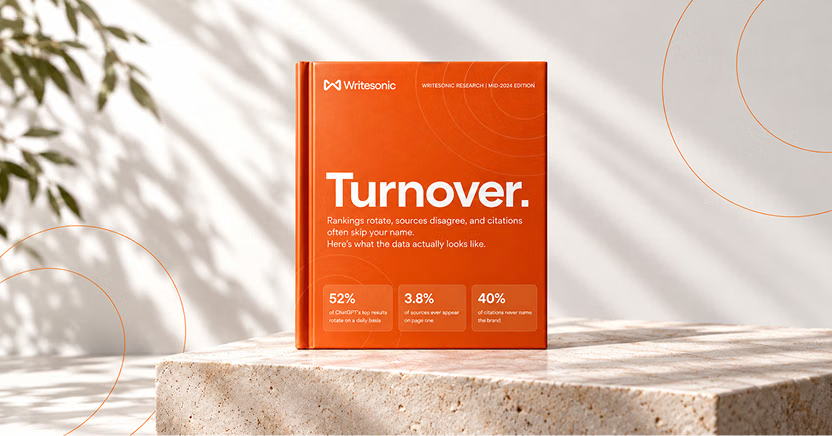
The #1 brand in ChatGPT changes 52% of the time.
Get the report and find out why.
However, citation analysis varies a lot across AI visibility tools. Some tools only list the top cited domains, which doesn't tell you much. Instead, look for platforms that show:
- The exact URL
- Which prompt and engine provided the citation
- How often it's cited over time
- Whether the page mentions you or your competitors
8. Action layer
Many tools stop at reporting. They show your AI search visibility and where you're missing from AI answers, but the rest is on you. You have to figure out what to fix, then do the work.
The action layer is a crucial feature that closes these gaps. It tells you what to fix next, and, better yet, helps you automate those fixes.
Look for a tool that provides specific recommendations on how to improve your visibility. Useful features include:
- Content refreshes: Look for pages that could earn more citations with updated stats, clearer answers, or new sections.
- New content: This data tells you which prompts earned your competitors a citation that you haven't written about.
- Third-party citations: The action layer should identify review sites, listicles, and industry publications that cite competitors but not you.
- Community engagement: Buyers discuss brands and products online all the time. A good action layer finds Reddit threads and YouTube videos where buyers have these conversations.
- Technical fixes: This feature helps you look for blocked AI crawlers, missing schema, or pages that need JavaScript to load their content.
- Accuracy fixes: Find pages and listings that feed AI engines outdated or wrong information about your brand.
The action layer varies a lot across AI visibility tools. Most platforms are more than happy to talk about their tracking features, but when you need help actually executing improvements, focus on the action layer.
9. Integrations and exports
AI visibility is more useful when you can see it alongside your website traffic and conversion data.
Make sure your visibility platform integrates with the tools you already use to monitor your performance, like Google Analytics 4 (GA4) and Google Search Console. Raw-data export or an API also lets you build your own reports.
MCP support is worth asking about, too. The Model Context Protocol (MCP) is an open standard that lets AI platforms like ChatGPT and Claude connect to other tools and pull their data into a chat.
For example, with Writesonic MCP for Claude, you can ask, "Which competitors gained the most share of voice on Gemini this month?"
This is way better than parsing through hundreds of data snippets manually, isn't it? An MCP makes your AI visibility data much more actionable. Use it for:
- Weekly reporting: Ask for this week's visibility changes and have the AI turn them into an executive email or a Slack update.
- Finding gaps: Ask for the prompts where a competitor gets cited and you don't, then turn that list into content briefs.
- Combining data: Pull visibility data into the same chat as other tools you've connected, like your analytics or project management tools (e.g., GA4, HubSpot, PostHog, Trello, etc.), so you can see everything in one place.
- Automating workflows: Feed visibility data into automation tools like n8n to trigger tasks when visibility drops.
Integrations and MCP support may seem like nice-to-haves, but they can make your visibility data much more actionable.
10. Customer success
AI search is still new for most teams. Even with good data, it's easy to get stuck on what to do next. That's where customer success comes in.
Some tools only provide documentation and maybe a support email or automated chatbot. Others pair you with a dedicated strategist who helps you set up prompts, understand the data, and decide what to fix first.
Of course, the level of customer support that each platform offers varies a lot. Your plan tier also dictates how much support you can expect. While you may not need a dedicated account strategist, you should still look for signs of good customer support, including:
- Onboarding help: Some platforms only offer a help center or how-to videos. Others will walk you through setting up your prompts, topics, and competitors.
- A dedicated strategist: Not all plan tiers will offer this, but if you can access it, having someone who knows AI search and your account on hand is a game-changer.
- Regular check-ins: Customer support should schedule a few recurring calls to review results and plan what to work on next. At a minimum, they should make themselves available to answer any questions and help you learn how to use the platform.
- Fast support: How available is customer support? If you need quick answers when something looks off, look for support teams that are available through the channels you already use, like Teams or Slack.
If AI search is new to your team, this support can matter as much as the platform's other features. The best tool won't help much if nobody knows what to do with the data. When in doubt, go with an upgraded platform or tier to get a little extra support.
Other helpful features
These features won't make or break most buying decisions, but they're worth considering if they apply to your team.
- Sentiment analysis: This advanced feature measures whether AI mentions your brand positively or negatively, which can have a big impact on how buyers consider your brand.
- Location and language support: AI answers vary by country and language, so the same prompt can show different brands in the US and Germany. If you sell in several markets, check that you can set the country and language for each prompt, and ask how extra locations affect pricing.
- Multi-brand support: Agencies and companies with several brands should look for separate workspaces per brand or client. Permissions that keep each client's data separate and white-label reports are also a must. Ask how pricing changes as you add more brands.
- Governance and security: Larger teams should check for security features like single sign-on (SSO), role-based access, and certifications like SOC 2 Type II.
- Fact-checking: Some tools flag inaccurate claims that AI engines make about your brand, like outdated pricing or features you no longer offer. The best ones show the cited sources behind each claim so you know exactly which pages to fix.
- Access to raw answers: Look for the ability to click into any prompt and read the full AI answer behind each score. You won't need this feature every day if the platform breaks down data well, but it's useful for seeing exactly how AI engines describe your brand and for checking the data yourself.
- Page-level tracking: See which of your own pages get cited, for which prompts and engines, and how that changes over time. It's even better if you can group these pages into portfolios, like target blog posts where you want more citations.
- Query fan-out tracking: Before answering a user's question, AI engines often run several follow-up searches behind the scenes. Tools that track this show you which searches you need to rank for to get cited.
- AI crawler and bot analytics: Some tools show which AI crawlers, like OpenAI's GPTBot or PerplexityBot, visit your site, which pages they read, and whether they get blocked. This is the technical side of AI visibility that prompt tracking doesn't show you.
- Alerts: Some platforms will notify you when visibility or sentiment drops sharply. That way you know about the issue right away, even if you don't check the platform every day.
- AI shopping visibility: If you sell products online, check whether the tool tracks product recommendations in AI shopping results, like ChatGPT's shopping answers. Those are tracked separately from regular answers.
- Intent and funnel segmentation: Some tools label each prompt by search intent (informational, commercial, or transactional) or by funnel stage (top, middle, or bottom of the funnel). That shows whether you show up early in a buyer's research or only once they're ready to pick a solution.
- Custom reports and dashboards: Build reports around the topics and metrics each team cares about, then share them so stakeholders don't have to rebuild the same view every time.
How To Evaluate AI Search Visibility Tools
At this point, you should have a shortlist of potential AI visibility tools you are considering. Here's how to narrow down your list and pick the right tool for your team.
Weigh your must-haves vs. nice-to-haves
Your team doesn't need every feature in this guide. What matters is properly scoping your AI visibility strategy and picking a platform that lines up with your needs. In my experience, your team size will determine whether these features are essential or just a nice-to-have.
How to compare pricing
Honestly, it's hard to compare pricing because vendors price by different units. Some charge by prompt, while others bill by credits, engines, domains, or seats. And add-ons for extra engines, countries, or brands drive up the price fast.
Start by checking what your plan includes, whether that's:
- Prompts: Look at how many you can track and whether each engine counts against that limit.
- AI engines: See which engines your plan includes and how much extra the vendor charges for additional engines.
- Refresh frequency: Weekly checks give you one-seventh of the data you get with daily checks, but you'll pay more for daily refreshes.
- Add-ons: Extra countries, brands, or seats, or features like an action layer may only be available on higher tiers.
Now, normalize the pricing. Convert every plan into cost per prompt per engine per month. Divide the monthly price by the number of prompts, then by the number of engines included.
For example, $300 a month for 100 prompts on three engines works out to $1 per prompt per engine. Once prices are on the same scale, compare what else you get for the money, like how each tool collects data and whether it includes an action layer.
Not sure how many prompts you need? Start with our guide on how to identify prompts to track.
Helpful questions to ask during a demo
Don't buy an AI visibility tool sight unseen. You should demo two or three platforms. Unless you're watching a pre-recorded demo, you'll have a chance to speak to sales and clarify any questions about the platform's features or pricing.
I've mentioned these questions throughout the guide, but here they are in a simple list, ready to ask during your next demo or sales call:
- Which AI engines are included at the price you quoted, and what does each extra one cost?
- Do you render the user interface or call the API for each engine?
- How do you estimate prompt volume, and where does that data come from?
- How often do you check each prompt, and how do you show trends over time?
- Which filters can I combine? Can I save them as views, and do they work across every report?
- Can you break out mentions, citations, share of voice, and sentiment for each prompt and AI engine?
- Can I see the exact URLs cited for each prompt, and which ones cite competitors but not us?
- What kinds of recommendations does your tool make, and can it help us implement them?
- Which analytics tools do you connect to? Do you offer an API or MCP server?
- What support comes with the plan you're quoting, and will we have a dedicated strategist?
- What's the total monthly cost for the prompts, AI engines, and markets we need, including add-ons?
- Do you offer a free trial?
Red flags and green flags
A demo can make almost any tool look good. Asking the right questions will help you narrow down your options, but these signals will tell you which platforms are worth your time.
Red flags
- Dashboards you can't filter by topic, prompt type, AI platform, or market
- Entry plans that track only one engine
- Weekly-only refreshes on every plan
- Recommendations that are just generic SEO advice, like "improve content quality" or "add more keywords"
- No data exports or API, so your visibility data stays locked inside the tool
- Annual contracts with no trial or pilot period
- Support limited to help docs or a chatbot
Green flags
- Filters you can combine and save as views across every report
- Several AI engines included on entry-level plans
- Daily tracking for every prompt
- Recommendations tied to specific pages, prompts, or sources
- Built-in help carrying out fixes, like drafted content or outreach emails
- A free trial or pilot before you commit
- Hands-on support (e.g., onboarding help or a dedicated strategist)
Put Writesonic On Your Shortlist
Full disclosure, I'm biased here. I run growth at Writesonic. But I fully believe Writesonic is the best AI visibility tool for most teams, and not just because I work here.
I've been doing SEO for over 12 years and AEO for the past few. I use Writesonic every day to track and improve our own AI visibility. I also work closely with our product team to make the platform better. Every week, I help the team review customer feedback, test new features, and decide what to build next.
Most tools in this category either report visibility or help produce content. Writesonic is one of the few that does both, so if the action layer is a must-have for your team, put Writesonic on your shortlist.
Writesonic shows where you're missing in AI answers. Then it prioritizes fixes and gives you the tools to execute everything. Aside from showing you where you stand in AI search, Writesonic also offers:
- Robust engine coverage and data collection: Writesonic tracks ChatGPT, Google AI Overviews, Google AI Mode, Gemini, Perplexity, Bing AI, Claude, Grok, and Muse Spark by rendering the interface a buyer sees.
- Prompt management: Writesonic suggests prompts to monitor, but you can also add your own manually, import them from a CSV, or generate them from your existing keyword lists. Organize prompts by topic and add tags to individual prompts, then use those topics or tags later to filter your visibility data.
- Prompt check frequency: Writesonic refreshes tracking data daily.
- Data filtering: You can filter visibility data by topic, tag, date range, prompt type, AI platform, and market, combine as many filters as you want, and then save them as views.
- Metric depth and citation analysis: You get visibility, citations, sentiment, and share of voice, which is filterable by competitor, market, language, and intent.
- Action layer: The Writesonic Action Center ranks fixes by impact across content, third-party citations, and technical issues. AI agents can then draft new content, refresh pages, and perform citation outreach. But don't worry; you can review all of the suggested fixes before they go live.
- Integrations and exports: Writesonic's MCP server works with ChatGPT, Claude, Cursor, Notion AI, n8n, and more, so your team can pull visibility data into the tools they already use.
- Customer success: Our enterprise and agency accounts assign you a dedicated AI search strategist.
Whichever AI visibility tool you go with, don't buy based on what you see in the demo. Run your own prompts, open the answers behind the scores, and see which factors affect your visibility.
I believe Writesonic deserves a spot on your shortlist, but you don't have to take my word for it. Give it a try: Sign up for a 7-day Writesonic free trial to better understand your brand's AI visibility.
Frequently Asked Questions
What is an AI search visibility tool?
An AI search visibility tool runs a set of prompts through AI engines like ChatGPT, Perplexity, Gemini, and Google AI Overviews. It reports whether your brand is mentioned or cited, and how it's described compared with competitors. More advanced tools can also recommend fixes so you can improve your visibility over time.
What features should an AI visibility tool have?
At minimum, look for coverage of the engines your buyers use, answers collected from a real user interface, daily tracking, and filters to slice your data by topic, prompt type, AI platform, and market.
Stronger tools add citation analysis, which shows the sources driving visibility for you and competitors, plus sentiment, prompt volume estimates, and an action layer that turns gaps into specific tasks. Hands-on support matters too, especially if your team is new to AI search.
Can I track AI search visibility for free or manually?
You can spot-check a few prompts by hand, but the results won't hold up. AI answers change too much between runs, users, and locations, so manual checks just aren't accurate. A January 2026 study by SparkToro and Gumshoe found the same brand list repeated under 1% of the time.
Why do different AI visibility tools show different results for the same prompts?
Tools use different prompt sets, engines, collection methods, and tracking schedules. API-based answers can differ sharply from what users see in the interface. Since every tool differs, compare your trends in a single tool over time.
How much do AI search visibility tools cost?
Most tools price by the number of prompts and AI engines you track. Entry-level plans often start around $100 a month or less, with a limited prompt count and only a few engines. Enterprise plans with broader engine coverage are usually custom-priced. Since many platforms price based on different factors, convert every plan into cost per prompt per engine per month for a fair comparison.
How many prompts and AI engines should I track?
Most teams can start with 25 to 50 prompts. Mix branded prompts with non-branded ones, like category questions and comparison questions that buyers ask when they haven't picked a brand yet. Track the two to four engines your buyers use most, then expand once you know which prompts drive results.
Should I use my SEO suite's AI add-on or a dedicated AI visibility platform?
An SEO suite add-on is a low-cost way to get a first read on AI visibility. However, a dedicated platform makes more sense if you're invested in AI visibility. Try both approaches with the same set of prompts and see which platform gives your team more to act on.
The #1 brand in ChatGPT changes 52% of the time.
Get the report and find out why.

Director of Growth Marketing
Cody Slingerland is the Director of Growth Marketing at Writesonic. He leads SEO and AI search (AEO) strategy. He has over 12 years of search experience, helping companies like Zapier, Instapage, Nutshell, CloudZero, and others improve their visibility and position in organic search.