You already know how you stack up against competitors in ChatGPT. Now, you're craving the why. Because if you don't have a way to tell what sources ChatGPT uses to generate answers, you can't figure out how to get your domain cited more often.
Once you've completed an AI visibility audit, you should begin a ChatGPT citation analysis. This will help explain why the AI engine favors certain domains and URLs (and why it's citing competitors over you).
Below, you'll learn what a ChatGPT citation analysis is, and how to run one in seven steps. Not sure what your findings mean? You'll learn how to read your results and take action with a cause-to-fix table.
TL;DR
- ChatGPT citation analysis tracks which URLs ChatGPT cites for your tracked prompts, so you can see which sources ChatGPT trusts and when it cites competitors instead of you.
- ChatGPT only cites sources when it searches the web, and it reads more pages than it credits (i.e., reads 50 pages versus cites five URLs or sources).
- Citation analysis results can change from run to run, so you should only trust citation rates that are measured with multiple runs over several days.
- Before you react to a citation ranking drop, check whether it's related to your content, or a change in the AI model.
- Writesonic tracks prompts daily and turns citation gaps into ranked tasks, which you can pair with ChatGPT referral tracking in GA4 to connect your citations with traffic.
What ChatGPT Citation Analysis Is (& How ChatGPT Decides What To Cite)
ChatGPT citation analysis is the process of tracking which websites and sources ChatGPT links to when answering tracked prompts. It helps you evaluate who it cites, for which prompts, and how often they appear in results. This also allows you to find gaps in your content and address pages that need fixing, creating, or updating.
Here's a quick breakdown of the terms you might see in a citation report:
| Term | Definition | Example |
|---|---|---|
| AI visibility | Share of tracked prompts where your brand appears in the answer | If your brand name appears in 18 of 50 prompts, you have 36% visibility |
| Mention | ChatGPT names your brand in the answer text | "A popular tool for performing ChatGPT citation analysis is Writesonic." |
| Share of voice | Your brand's mentions as a share of all brand mentions across a prompt set, versus your competitors | If you own 40 out of 200 brand mentions across your prompt set, you have a 20% share of voice |
| Citation | ChatGPT links a URL as a source, whether or not your brand is named | Your pricing page appears as a linked source |
| Citation share | Your brand's citations as a share of all citations across a prompt set, versus your competitors | If you own 32 of 400 citations, you have an 8% citation share |
| Co-citation | Domains that show up together as sources again and again | Seeing Writesonic and Ahrefs cited together in 12 of 15 "best Semrush alternatives" prompts |
💡Related: AI Brand Mentions vs. AI Citations
So, how does ChatGPT decide what to cite? That depends on:
- Whether ChatGPT searches at all. OpenAI says that ChatGPT independently decides to search when a question "might benefit from information on the web." It doesn't cite sources included in training data.
- What ChatGPT finds in fan-out searches. ChatGPT rewrites prompts in different ways to better understand what the searcher is looking for. These are smaller versions of the original prompt, typically referred to as 'fan-out searches.' Our GPT-6 Astra study found that one of the newest ChatGPT models ran 6.1 fan-out questions per prompt.
- What ChatGPT is allowed to access. Any pages that block OAI-SearchBot can't appear in ChatGPT search answers, meaning the tool can't cite them.
Keep in mind that retrieval isn't the same as a citation for ChatGPT. Our previously mentioned study of OpenAI's GPT-6 Astra, for example, found that it can read up to 50 pages, but might only cite around five or six sources.
Plus, ChatGPT may return different source lists to the same prompt, even if you run it just minutes apart. Our research found that the top brand in ChatGPT changes 52% of the time on the same prompt.
That's not accounting for other complications. Citations tend to cluster within a few domains and show up again and again, often with a long tail that appears once and then vanishes. It doesn't help that model updates can change how a model cites sources. When the GPT-6 Astra launched, we found it ran 41% fewer searches than the model before it. This is why it's so important to check prompts daily.
With this in mind, here's a closer look at how to run a citation analysis of your tracked ChatGPT prompts.
How To Run A ChatGPT Citation Analysis In 7 Steps
There are two different ways to run a ChatGPT citation analysis:
- Manually with a spreadsheet
- Using an AI search visibility platform like Writesonic
Either way, you can use the steps below to benchmark your visibility.
Set the objective and pick 3-5 competitors
First, you need to decide what you're solving for. Some of the most common goals include:
- Winning "best tools" prompts in a category
- Beating a specific competitor in comparison prompts
- Defending branded answers so ChatGPT describes your product correctly
Next, choose three to five target competitors who stand in the way of your citation goals. This could include direct rivals you lose deals to, as well as any brand that appears in ChatGPT's answers for your category (even if you don't consider it a competitor).
| How to do this in Writesonic: Use the Overview page to find your strongest and weakest competitors based on visibility and citation share. |
|---|
Build a fixed prompt set in buyer language
Next, write 20 to 50 prompts that your buyers might ask, specifically in category, use case, comparison, alternatives, and problem prompts. Then, tag each one by funnel stage and/or intent.
Remember that this will be a fixed set of data. Make your prompts count and choose wisely so you can compare their changes week over week.
Here's a sample set for a B2B payroll software company:
| Prompt | Type | Funnel stage |
|---|---|---|
| Best payroll software for small businesses | Category | Middle |
| How to run payroll for remote employees in multiple states | Problem | Top |
| Payroll software that integrates with QuickBooks | Use case | Middle |
| Gusto vs ADP for a 50-person company | Comparison | Bottom |
| Alternatives to Paychex | Alternatives | Bottom |
| How to do this in Writesonic: Use Prompt Volume estimates to see how often people ask a prompt in AI tools, based on more than two billion real AI conversations. That way, you can select the prompts with the highest volume and select better metrics for tracking. |
|---|
Run each prompt repeatedly over time
As mentioned earlier, answers in ChatGPT don't always look the same, even when run on the same day. That's why you should use sampling (or, multiple runs per prompt across several days) to measure how often you appear, instead of taking a snapshot of a single answer.
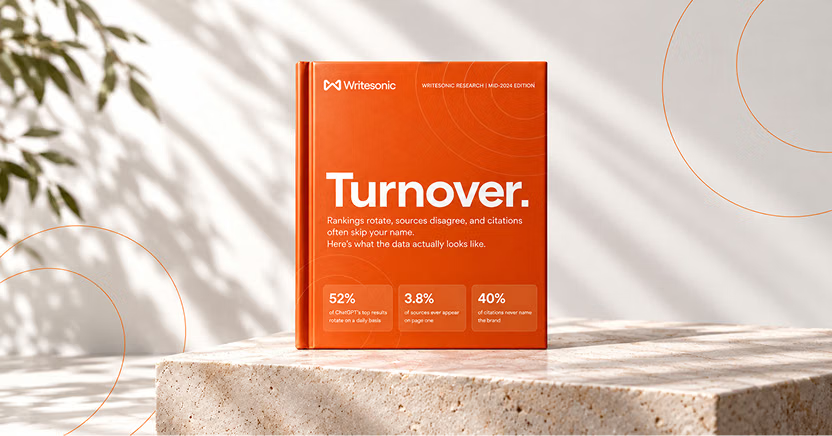
The #1 brand in ChatGPT changes 52% of the time.
Get the report and find out why.
A practical baseline is performing a prompt check on every prompt you care about every day for at least a week. It's a good idea to use a logged-out or fresh session each time so your chat history doesn't unintentionally influence your answers.
| How to do this in Writesonic: Writesonic runs every tracked prompt daily across ChatGPT and other major AI platforms to avoid manual reruns. |
|---|
Log every citation at the URL level
If you're running each prompt manually, make sure to record each cited URL with its:
- Prompt
- Domain
- URL
- Mentioned brands
As a pro tip, make sure to log full URLs for each cited URL, and not just the domain. That's because the domain "reddit.com" doesn't tell you which thread ChatGPT cites. But the URL "reddit.com/r/smallbusiness/comments/" does.
| How to do this in Writesonic: Writesonic finds and lists the cited sources for every tracked prompt, categorized by AI platform, on the All Citations page. |
|---|
Classify sources by type
Each citation you log also needs a source classification by type. These source types include:
- Owned
- Competitor
- Editorial and media
- Review sites and directories
- Listicles and comparison pages
- UGC and community
- Encyclopedic
- Documentation
| How to do this in Writesonic: Use Citation Analysis to instantly break down ChatGPT citations by page, domain, and source type. Then, you can create a Portfolio of grouped content, like blog posts or competitor content, to measure their overall impact on your AI visibility. |
|---|
Calculate metrics
Finally, you can put the data all together and calculate metrics to better understand how well or how poorly your brand performs.
Below is a chart of common metrics and the simple formula for calculating each:
| Metric | Formula |
|---|---|
| Citation rate | Runs that cite you ÷ total runs |
| Citation share | Your citations ÷ all citations in the prompt set |
| Source-type mix | Citations of one type (e.g., owned or UGC) ÷ all citations |
| Top cited domains and URLs | Web pages and URLs with the greatest number of citations in a category or for a prompt |
| Co-citation pairs | # of runs where a domain appears alongside another ÷ all citations |
| Cited but not named | # of runs that cite your URL but don't name your brand |
| Named but not cited | # of runs that name your brand but don't cite your URL |
| How to do this in Writesonic: Visit the Overview dashboard for hard numbers on your AI visibility, share of voice, and citation data by platform and competitor. That way, you don't need to calculate them by hand. |
|---|
Fill the gaps
Now that you have your data in hand, you can use what you've found to spot gaps and drive your AI search strategy. Keep your eye out for:
- Sources that cite competitors but not you
- Prompts where you're named but never cited
- High-intent prompts with no owned citations
- Pages citing nobody in your category yet
| How to do this in Writesonic: Use Citation opportunities to see prompts where your competitors are mentioned but you are not. You can use Outreach Agent to automatically pitch third-party websites to include your brand. |
|---|
How To Read ChatGPT Citation Analysis Results And Turn Them Into Fixes
The results of your citation analysis should tell you one of three things: if your citations for specific prompts are going up, down, or staying the same.
A rising citation count is a good sign, but it's also worth checking where those citations come from. A 'healthy' citation spread includes a mix of owned pages and trusted third-party sources, like review sites or Reddit threads. If all your citations come from one place, it only takes one model update to wipe them out.
If your numbers are down, you'll need to decide if the problem lies with you, or with ChatGPT. There are two questions you should ask:
- Did your competitors' citations drop on the same day? If every brand in your category fell at the same time, it's more than likely ChatGPT changed or updated its model.
- What are your prompt results in other AI engines? Compare your ChatGPT analysis against data from Gemini or Perplexity. If you only see a drop in ChatGPT, the drop in citations is likely your loss to fix.
The good news is that tiny rank changes between domains don't usually require much attention. Remember, ChatGPT changes its recommendation for top brands more than half of the time on the same prompt. You should be looking for larger and more persistent drops, like falling from rank four to rank 16 over the course of a month.
If you're not already capturing a healthy mix of citations, or if you notice your volume is dropping, here's a simple cause-to-fix table you can use to help troubleshoot:
| What you see | How to fix it |
|---|---|
| Competitor-owned listicles dominate | Publish your own neutral comparison, pitch editors, earn inclusion, surface third-party citation opportunities, manually or by using a tool like the Action Center |
| Reddit or community threads dominate | Join the specific communities ChatGPT cites via the Action Center and manually draft a reply for each thread |
| You're named but never cited | Look at your Query Fanouts to spot narrower searches for each prompt, then create or restructure the pages that answer the prompt based on what you find |
| Owned pages rank well in Google but never get cited | Put the answer first, add clear definitions and data, update the page often, use tools like Writesonic's Action Center to find pages to refresh and list specific changes, like FAQs and schema |
| New pages aren't cited after several weeks | Check crawler access, robots.txt, and indexing; see if OAI-SearchBot can visit the page, earmark pages returning errors to AI bots, either manually or a tool like AI Agent Analytics |
| Outdated or wrong sources are cited about you | Update your owned facts pages and request corrections, spot outdated pages in a manual audit, or run the AI Brand Explorer tool to evaluate only the pages that AI platforms cite about your brand |
How often should you take action on your ChatGPT citation findings? At least once a week on high-value prompts, and a full monthly analysis for everything else. If you launch a new product, or if ChatGPT announces a major model update, you should run checks on your prompts to look for major changes.
Once you exceed 20 prompts or more, reruns and logging could become unmanageable. That's why many fast-growing brands turn to an AI search visibility platform like Writesonic, which tracks prompts daily and flags citation shifts so you can quickly identify the root cause.
| Note: Pair your citation findings with other data, like ChatGPT referral sessions in GA4. OpenAI has publicized that ChatGPT adds utm_source=chatgpt.com to referral links. This lets you easily filter sessions by source so you can connect citations to visits (and visibility, traffic, and revenue). |
|---|
Run ChatGPT Citation Analysis Continuously With Writesonic
Citation analysis is a must for AI visibility. But while you can do it by hand, it will require reruns and spreadsheet rows. Most fast-growing businesses turn to software to help. This includes Writesonic, which can help you take action on your analysis results.
With Writesonic, you can easily track your ChatGPT citations alongside other major AI platforms. Perform daily citation analysis by page, domain, and source type, with prompt-level answer data in each report. Then, let the Action Center identify citation gaps and create ranked tasks for things like citation outreach, content refreshes, and technical repairs.
You can even connect with Writesonic's ChatGPT MCP integration to quickly pull citation data from inside the AI.
See which sources ChatGPT cites in your category by starting a 7-day free trial of Writesonic here.
The #1 brand in ChatGPT changes 52% of the time.
Get the report and find out why.

Director of Growth Marketing
Cody Slingerland is the Director of Growth Marketing at Writesonic. He leads SEO and AI search (AEO) strategy. He has over 12 years of search experience, helping companies like Zapier, Instapage, Nutshell, CloudZero, and others improve their visibility and position in organic search.