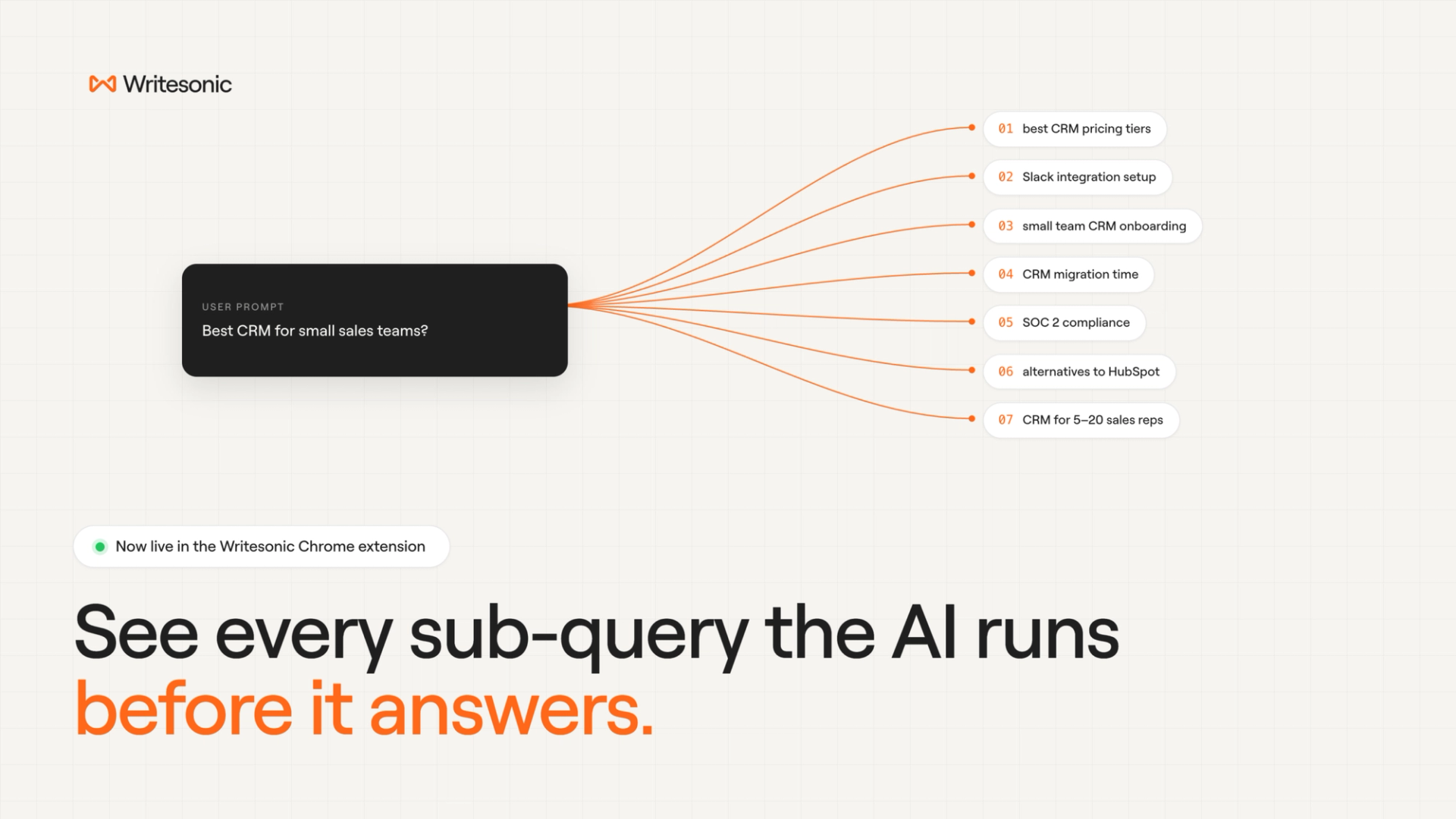
Fan-out query tracking is live in the Writesonic Chrome extension as of this week. On every prompt you run inside ChatGPT, Claude, Gemini, or Perplexity, you can now see:
- Every sub-query the AI fired before writing the answer
- The full set of angles, comparisons, and adjacent topics it explored
- A one-click copy on any query, or a CSV export for the full set
- Fan-out data sitting next to the Google keyword data the extension already shows: volume, CPC, competition, trends, related terms
ChatGPT and Claude work the moment you install. Gemini needs a one-time free API key from Google AI Studio. Perplexity is supported, though it triggers fan-out less consistently than the other three.
The extension is already used by 70,000+ marketers with a 4.8 rating on the Chrome Web Store. Until this week, it was a Google-only view. Now it shows what the AI search layer is doing too.
We shipped this for one reason. The research layer is where AI visibility is decided, and almost no one can see it.
Why now
Google publicly confirmed at I/O 2025 that AI Mode uses a “query fan-out” technique, breaking each user question into multiple sub-queries that run in parallel. Its Deep Search feature can issue hundreds of searches per single prompt.
The visibility consequence is sharper than the mechanic. Ahrefs analyzed 863,000 keywords and 4 million AI Overview URLs in February 2026 and found that only 38% of pages cited in AI Overviews still rank in Google’s top 10 for the same query. Seven months earlier, that number was 76%. More than 6 in 10 AI Overview citations now come from pages that never show up in a traditional SERP report. Ahrefs attributes the shift, in part, to fan-out queries playing a bigger role in source selection.
If you’re optimizing only for the top-10 ranking on the prompt, you’re working with the wrong unit. The actual unit is the sub-query.
What’s new in the extension
Until this week, the extension covered the human search layer: Google volume, CPC, competition, trends, related terms.
Fan-out tracking adds the AI search layer. While ChatGPT, Claude, Gemini, or Perplexity is generating an answer, the side panel populates with every sub-query the platform is using to research, in real time, in the same view. You see the prompt, you see the cascade behind it, and you see the Google data on both. No tab-switching. No copying queries between three tabs. One panel.
CPCs are not where the cost shows up
In the late 2000s, keyword research data wasn’t free. Search volume, intent grouping, gap analysis, related terms. Marketers paid recurring SaaS fees to access what is now table stakes inside any SEO tool. The teams that built keyword research muscle early in that decade compounded that advantage for years before the data commoditized.
AI fan-out research is at the equivalent of that early stage. The data is being generated in real time by every prompt right now. Most teams aren’t capturing any of it. Brands that start watching fan-out queries this quarter will have six to twelve months of accumulated patterns before “AI sub-query data” becomes a paid category. The ones that wait will pay to access what they could have observed for free.
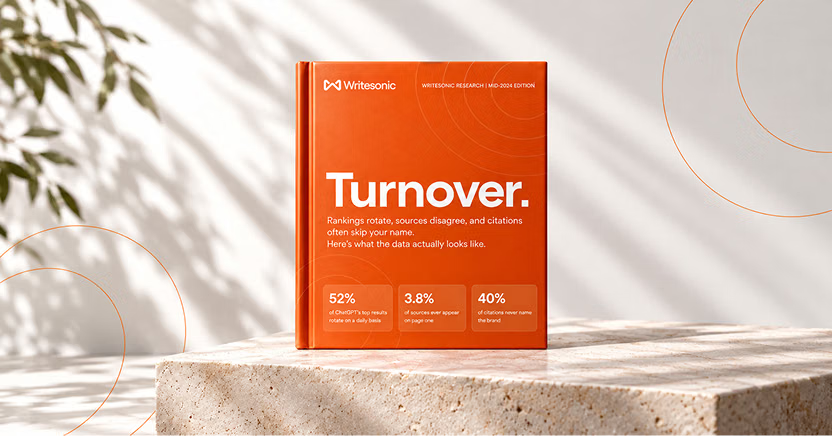
The #1 brand in ChatGPT changes 52% of the time.
Get the report and find out why.
Why prompt-only optimization stopped being enough
AI visibility tracking, until this quarter, meant three things: did your brand get mentioned, did you get cited, what’s your share of voice on the prompt. Those still matter.
The new layer is the research path the AI took to get there. A user typing “best CRM for small sales teams” doesn’t generate one search inside the AI. It generates a search for pricing, one for Slack integration, one for setup time, one for security, one for alternatives, one for migration. If your content only addresses the surface prompt, you compete for one citation slot. If it covers the sub-queries, you compete for ten.
You can’t optimize for what you can’t see. Fan-out tracking is the first time most marketers will see it.
How to use it
- Install or open the Writesonic Chrome extension
- Open ChatGPT, Claude, Gemini, or Perplexity in a regular tab
- Ask a research-heavy prompt, like “What are the best CRM tools for small sales teams?”
- Watch the side panel populate with the fan-out queries the platform is using
- Copy any query, or hit Export CSV to take the full set into your content planning
For Gemini, paste a free API key from Google AI Studio into the Gemini Fan-out API Key field once. You’re set after that.
One honest caveat. Coverage isn’t even across platforms. ChatGPT and Claude are the cleanest. Gemini works after the API key step. Perplexity triggers fan-out less often, so you’ll see fewer queries from it. Coverage on Perplexity will improve as their behavior gets more consistent.
Book a demo if you want a walkthrough on turning fan-out queries into a content plan.
Start watching the research layer now
Fan-out queries are firing every time a user asks an AI a real question. Right now, almost none of that data leaves the platform.
Start tracking this quarter and you’ll have six months of fan-out patterns before competitors notice the layer exists. Wait, and you’ll be reading about “AI sub-query optimization” in someone else’s 2027 playbook, after the easy wins are gone.
Install the extension free → Writesonic on the Chrome Web Store
Want to see how fan-out tracking fits into a full AI visibility setup? Book a demo.
The #1 brand in ChatGPT changes 52% of the time.
Get the report and find out why.

Founder @ Writesonic
Samanyou is the founder of Writesonic, a platform that helps you track & boost your brand’s visibility in AI search. Two years before the launch of ChatGPT, Writesonic was already at the forefront, helping organizations automate their entire marketing workflow through specialized AI agents for SEO and content. Samanyou is a Forbes 30 Under 30 awardee and a winner of the 2019 Global Undergraduate Awards, often referred to as the junior Nobel Prize.