Writesonic MCP is live, and customers are running their weekly visibility checks, competitor teardowns, and content briefs through it instead of opening the dashboard.
You connect once. Then ask questions in plain English from the AI client you already use, and get live Writesonic data back in the same chat. Visibility, citations, sentiment, brand gaps, the Action Center. And now, with this release, you can also act on what you find without leaving the conversation: add tracked prompts, manage competitors, build portfolios, run multi-step plans.
Here's everything you can do with it.
What is the Writesonic MCP server
MCP stands for Model Context Protocol, an open standard that lets AI clients connect to live external data and act on it in real time.
In practice: instead of opening Writesonic to check your AI visibility, you ask Claude, or ChatGPT, or Cursor. It pulls the data, reasons over it, and does something useful with it. Sends a summary to Slack. Drafts a brief in Notion. Adds a tracked prompt. Creates a portfolio. All in one conversation, in the tool you're already in.
You don't need to be technical. If you use Claude today, you can connect Writesonic in under a minute.
What you can ask it
Anything you'd normally open the dashboard for. Some of the common starting points:
Visibility and weekly reporting
- "How did our AI visibility move this week, and which prompts drove the change?"
- "Build me a one-page quarterly summary: overall score, the three topics we gained on, the three we slipped on, and a one-line reason for each."
- "Our overall visibility dropped this month. Which platforms and topics caused it, and what's the fix for each?"
Competitive intel
- "Build a share-of-voice table for us versus our top four competitors, and highlight the three questions where we trail the leader by the most."
- "Do a full teardown of Competitor A: every prompt where they're cited and we aren't, the topics where they outrank us, and the platforms where their lead is biggest."
Citations and sentiment
- "Show every citation tracked last quarter, sliced by AI engine."
- "Is sentiment trending positive or negative over the last 90 days, broken down by platform?"
- "What themes does AI associate with our brand versus Competitor A?"
Multi-market and platform-specific
- "Compare our visibility across the US, UK, and Germany. Where are we strongest and weakest?"
- "Give me a Perplexity-only breakdown: visibility, citations, sentiment, top prompts."
Brand gap and content opportunities
- "Find our top three content gaps by impact, and tell me the estimated visibility lift of closing each one."
- "For this URL, list exactly what to change to win more AI citations, in priority order, with the rationale for each."
- "Which of our pages are broken but still cited by AI?"
Action Center
- "Show this week's recommended actions ranked by impact, and tell me which three would give the biggest visibility lift for the least effort."
Full example prompt set, tested against the live connector, lives in the use cases reference.
What you can now do (not just ask)
The MCP server can now make changes to your project, with confirmation before every write:
- Create or remove tracked prompts. "Add these five questions under a new topic called Pricing in the US market."
- Manage competitors. "Add Competitor C to tracking, remove Competitor X."
- Build portfolios of pages. "Create a portfolio called Pillar Pages and add these eight URLs."
- Create, rename, or delete topics and tags. Useful for keeping your tracking structure clean as your strategy shifts.
- Generate Brand Radar reports. Spin one up from chat without opening the dashboard.
- Run multi-step plans. A single request like "find our top three content gaps, draft a brief in Notion for each, and re-check those URLs once we publish" runs as a sequenced plan across the right tools, in the right order.
Every write action shows you what it's about to do before it does it.
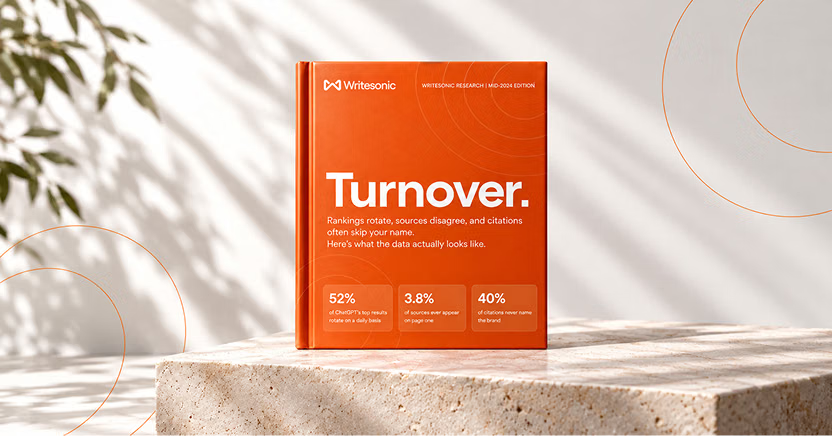
The #1 brand in ChatGPT changes 52% of the time.
Get the report and find out why.
What this unlocks
A few of the things customers are already doing:
The Monday morning brief, in one prompt.
"What changed in our AI visibility last week, what's the biggest mover, what's the recommended action, and post it to Slack." The connector pulls visibility, citations, sentiment, and the Action Center, formats the answer, and sends it where it needs to go.
Content briefs that write themselves.
Find a gap. Get the AI answers behind it. Draft a brief in Notion with the angle, structure, and sources the content needs to cite. Track the new prompts. Watch the URLs for first citations after publish. All in one conversation.
Competitive snapshots before a sales call.
Pull a prospect's AI visibility profile, compare it against three competitors, get the gap list. Walk into the call with the slide already done.
Executive summaries in plain language.
"Write a 200-word AI search performance update for a non-technical CMO." The connector translates the metrics into business language and formats it ready to send.
Client reporting on autopilot.
Wire the connector into n8n. Every Monday, pull visibility per client, format into a summary, push to Slack or email. Hours of CSV work runs while you sleep.
Sentiment shift alerts.
A daily check that fires only when sentiment drops below a threshold, with the AI responses behind the drop attached, so your team responds before it becomes a trend.
How to connect
Same server URL across every client.
<https://mcp.writesonic.com/mcp>
Claude.ai (web)
- Open Settings → Connectors → Add custom connector
- Paste the URL above
- Sign in with your Writesonic account
If "Add custom connector" doesn't appear and you're on a team or enterprise workspace, the workspace owner needs to enable MCP install access first.
Claude Desktop
Add the server to your claude_desktop_config.json file. Full config in the setup guide.
Claude Code
claude mcp add writesonic --transport streamable-http <https://mcp.writesonic.com/mcp>
ChatGPT, Cursor, n8n, Lovable, Notion AI, Codex
Add a server in the client's connectors menu, paste the URL, sign in. The setup guide covers each one step by step.
Once connected, type "List my Writesonic projects." If it returns your project names, you're live.
A few patterns that make answers sharper
Name the time range. "Last 30 days," "Q3 2026," "year-over-year for six months." Vague time references produce vague reports.
Name the AI platform when you want platform-specific data. "On ChatGPT," "across Perplexity," "in Claude responses" all scope correctly.
Ask for comparisons explicitly. "Us versus competitors," "this month versus last," "ChatGPT versus Perplexity."
Say "my brand" or "competitors." The connector uses website type under the hood, so the framing of your question decides what gets pulled.
Mention your project by name if you have more than one. The connector will ask if you don't, but naming it upfront saves a round trip.
Start querying your data
The dashboard is still where the deeper work happens: visualizations, alerts, the Action Center detail view, exports. The connector is for everything between those sessions. The Monday check. The mid-meeting comparison. The "pull this number before the exec call" moment. And now, the small fixes you'd otherwise queue up for later, without leaving the chat.
Connect Writesonic MCP and try one of the questions above.
Not tracking AI visibility yet? Book a demo and we'll show you what the connector data looks like for your brand.
The #1 brand in ChatGPT changes 52% of the time.
Get the report and find out why.

Founder @ Writesonic
Samanyou is the founder of Writesonic, a platform that helps you track & boost your brand’s visibility in AI search. Two years before the launch of ChatGPT, Writesonic was already at the forefront, helping organizations automate their entire marketing workflow through specialized AI agents for SEO and content. Samanyou is a Forbes 30 Under 30 awardee and a winner of the 2019 Global Undergraduate Awards, often referred to as the junior Nobel Prize.